Content refresh strategy for blog posts: update, merge or delete, 2026
Update posts that still match a search need, merge overlapping ones with a permanent redirect, and delete only what has no purpose and no better home.

A content refresh strategy is a decision order for old posts: update first, merge second, delete last. Most posts that have stopped performing need a real rewrite or a merge with a sibling post, not removal. Deletion is for the small set of pages with no audience, no purpose and no better home.
This guide gives you that order, the signals that point to each move, and the cleanup that keeps the change from backfiring. The Google documentation cited here was last updated between December 2025 and October 2026, so check the dates on each page before you rely on a detail.
Start with the traffic, not the age
Age alone is a poor reason to touch a post. Google's helpful content guidance (last updated 2026-10-05) says that removing a lot of older content mainly because you believe it will lift your rankings overall is not a strategy that works. It points to a better starting question: which pages lost traffic, and for which searches.
Pull that data from GA4 and Search Console. Compare the last 3 months against the same period a year earlier, and list every post whose clicks or impressions fell. Then sort each post into one of four buckets:
| Signal | Likely move |
|---|---|
| Still matches a live search need, but facts or links are stale | Update |
| Two or more posts answer the same question | Merge |
| Small audience, but a clear purpose (a legal page, a product note) | Leave alone |
| No audience, no purpose, no better home | Delete or redirect |
Write the bucket next to each URL in a spreadsheet. You want a decision per page, made on evidence. Not a sweep.
Update: when a rewrite is the right move
Update a post when the question it answers is still being asked and the answer has aged. Typical causes are changed prices, retired features, dead outbound links, an outdated screenshot, or a structure that buries the answer.
A real update changes the substance:
- Replace every number, date and rule with the current figure from a primary source, and link that source.
- Move the direct answer into the first two or three sentences.
- Add the sections that today's top results cover and yours does not.
- Cut paragraphs that no longer earn their place.
Keep the URL. The refreshed post then keeps its links and history.
Do not touch the date as a shortcut. Google's guidance lists changing dates to make pages seem fresh, when the content has not substantially changed, as a warning sign. Change the published or modified date only after a real revision, and say what changed.
Merge: when two posts compete for one question
If two posts target the same query, readers and crawlers get two partial answers instead of one good one. Pick the post with the stronger URL, links and traffic as the winner. Fold the best passages of the other post into it, then retire the weaker URL.
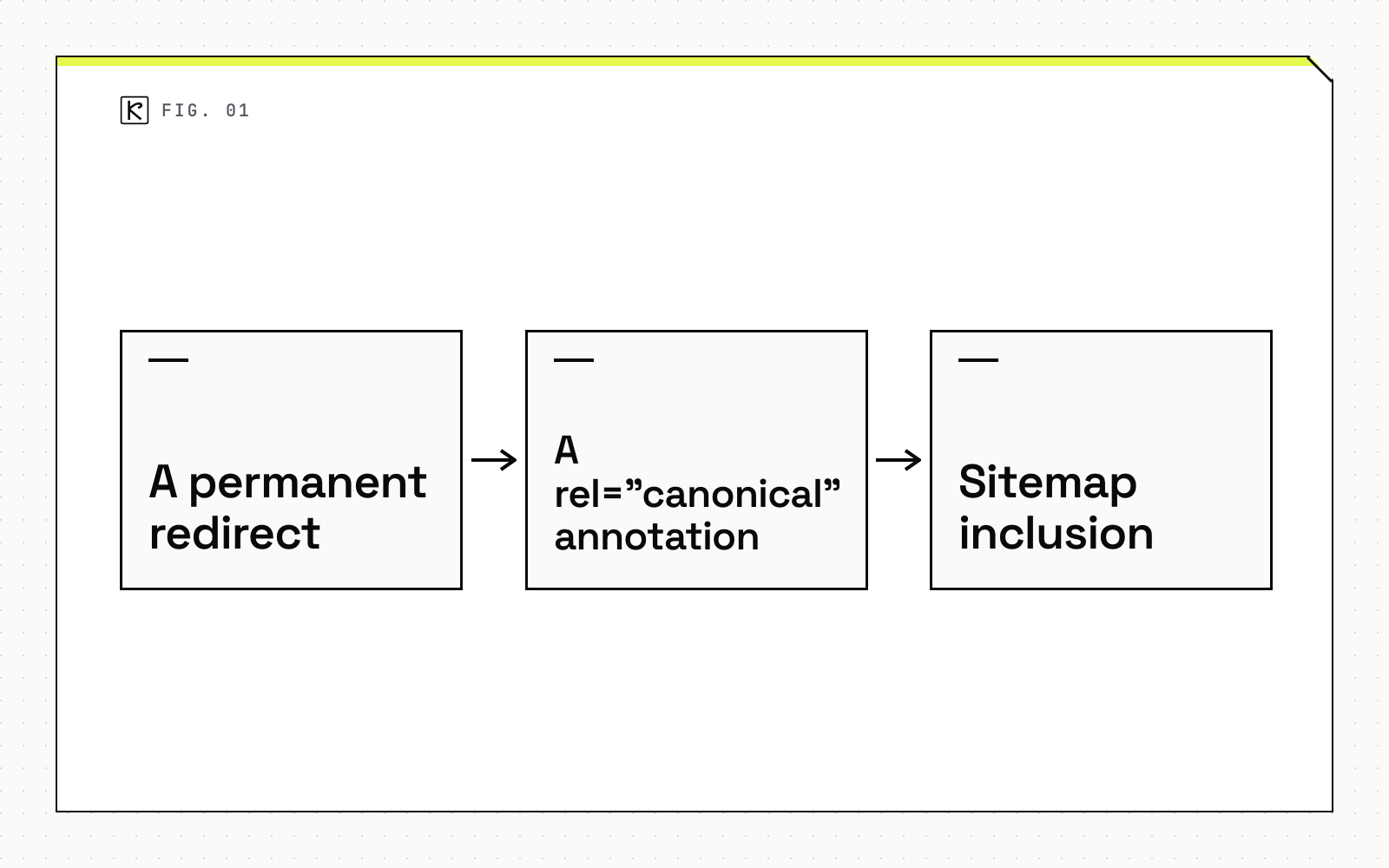
Google's page on consolidating duplicate URLs (last updated 2026-07-10) ranks the signals you can send:
- A permanent redirect is the strongest. Use it when you are retiring a duplicate page. Server-side redirects work fastest.
- A
rel="canonical"annotation is a strong signal, useful when both URLs must stay live. - Sitemap inclusion is a weak signal.
For a merge, the redirect is the right tool. Google's redirect documentation (last updated 2026-04-14) recommends HTTP 301 or 308, set up on the server where possible, and advises permanent redirects only when you are confident they will not be reverted. It does not state how long to keep one, so a sensible default is to keep the redirect for as long as the old URL has inbound links or visitors.
Two things to avoid. Don't use robots.txt to choose a canonical, and don't use noindex to pick one among your own pages. Both block or hide the page rather than consolidating it.
Delete: the small set that is truly unsalvageable
Delete only when a page has no audience, no purpose and nothing worth merging. Examples are a post about a product you no longer sell, a duplicate with no unique content, or a page that was never useful.
If a closely related live page exists, redirect the old URL to it. If none exists, let the URL return a not-found response instead of redirecting to the homepage, which tells readers and crawlers nothing useful.
Be exact about what removal does. Google's removal documentation (last updated 2025-12-10) calls removing or updating the content the most secure way to keep it out of results. A noindex tag only removes the page from Google Search; visitors and other search engines can still reach it. Temporary removal requests last about 6 months, so they are not a permanent fix.
This bucket should be the smallest. If most of your audit lands here, recheck the data first.
Clean up after the change
Each move leaves loose ends behind:
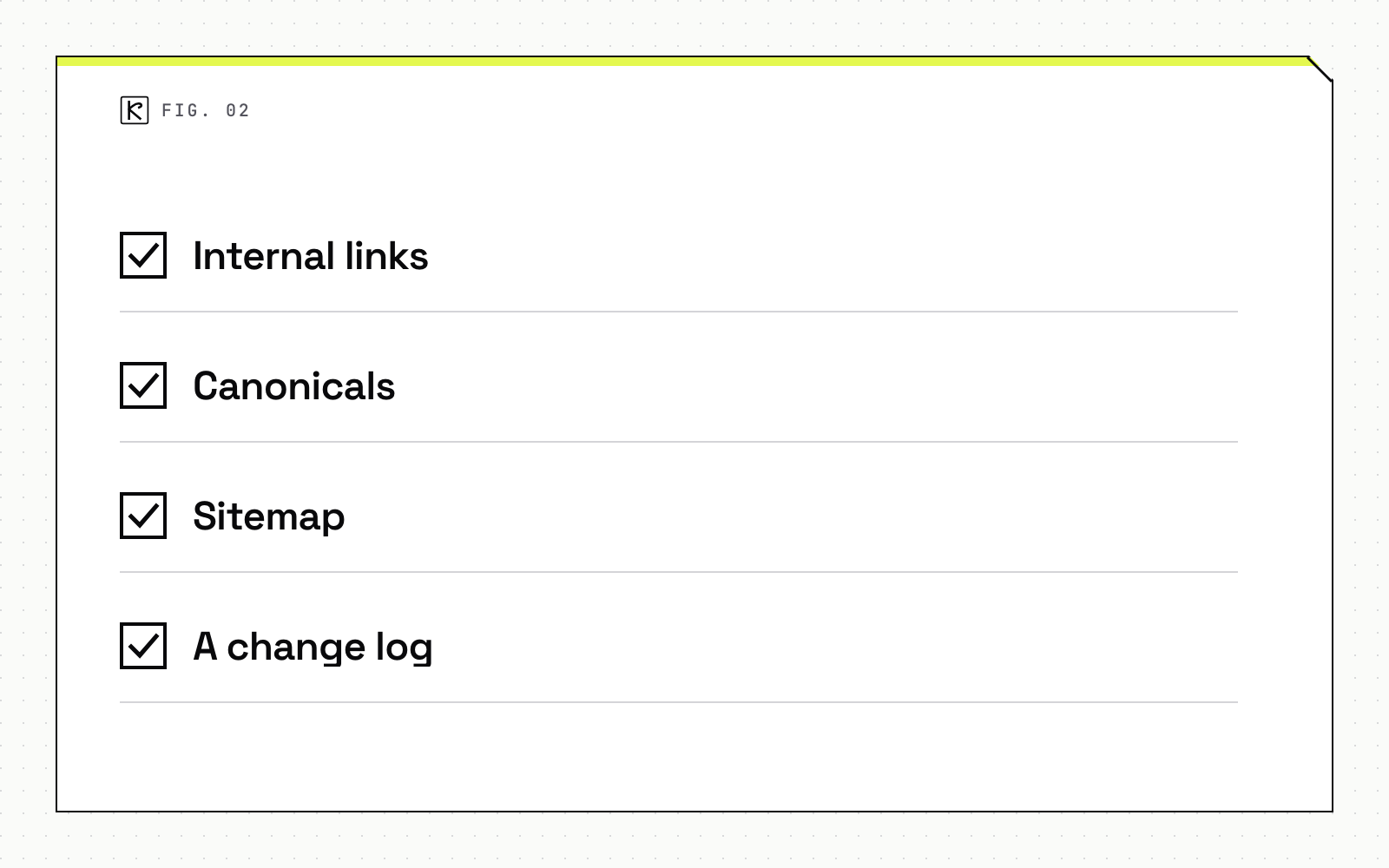
- Internal links. Point links at the surviving URL, not at a redirect or a retired page. Google advises linking internally to the canonical URL. Review your internal linking structure for orphaned pages after a merge.
- Canonicals. Confirm each kept page has a self-referential canonical and that nothing points at a retired URL.
- Sitemap. List only the URLs you want indexed, and remove retired ones. Resubmit if you changed many, as covered in the guide on sitemaps and indexation.
- A change log. Record the URL, the action, the date and the reason, so you can check the effect in Search Console a few weeks later.
Make it a recurring review
Treat the audit as a recurring review, not a one-time purge. For a small site, a pass once or twice a year plus a quick Search Console check each quarter is a workable rhythm. That cadence is a judgment call, since Google publishes no schedule.
Tools can speed up the checks: pulling the traffic comparison, flagging pages with overlapping queries, and listing broken outbound links. An AI content engine can run that screening, but a person should approve every merge and deletion, because those moves change URLs that other sites may link to. If you want help setting up the audit and the redirect map, our SEO and AEO service covers it, and you can reach us through the contact page.
Conclusion
Run the audit on traffic and purpose, not age. Update what still has an audience, merge what overlaps and redirect permanently, and delete only what has neither. Then fix the internal links, canonicals and sitemap, log the change, and schedule the next review.
Frequently asked questions
How often should I review old blog posts?
Once or twice a year is a reasonable rhythm for a small site, with a quick Search Console check in between. Google publishes no official schedule, so treat the interval as a judgment call based on how fast your topic changes.
Does changing the published date help a refreshed post rank?
No, not on its own. Google's helpful content guidance lists changing dates to seem fresh, without substantially changing the content, as a warning sign. Change the date only after a real revision.
How long should I keep a 301 redirect?
Google's redirect documentation does not state a retention period. Use a permanent redirect only when you are confident it will not be reverted, and keep it for as long as the old URL still has inbound links or visitors.
Should I delete posts that get no traffic?
Not for that reason alone. Google says removing a lot of older content mainly to lift rankings will not work. Check whether the post can be updated or merged first, and delete only when it has no purpose and no better home.