Hreflang implementation for multilingual sites: common mistakes and how to fix them
Hreflang tells search engines which page serves which language and region. Here is the setup, a Next.js example, and the mistakes that break it.

Direct answer
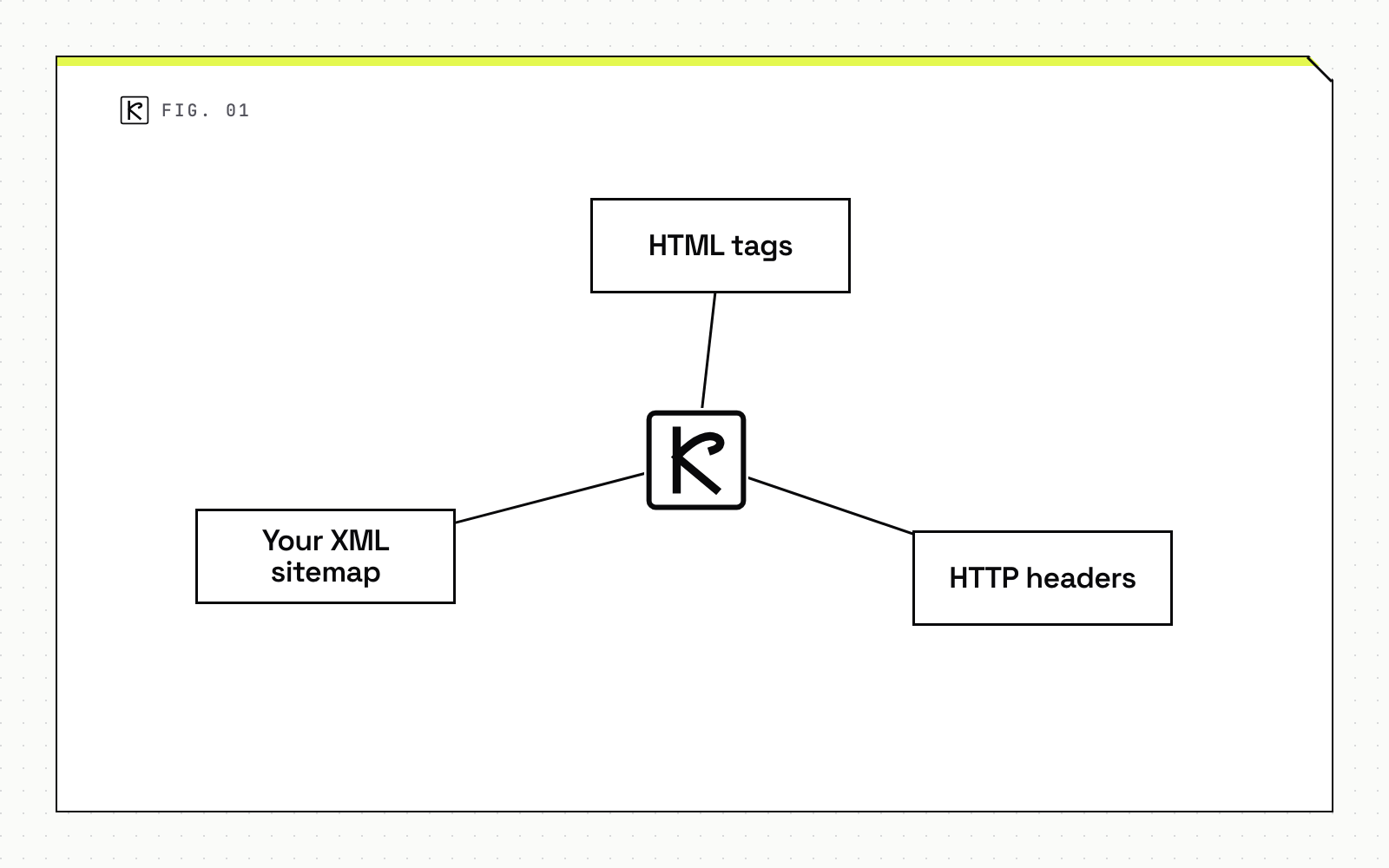
Hreflang is an annotation, a <link> tag, an HTTP header, or a sitemap entry, that tells search engines which URL serves a given language and region. Get it right and a French visitor lands on the French page instead of the English one. Google supports three equivalent ways to add it: HTML tags, HTTP headers, or your XML sitemap. The part nearly every multilingual site gets wrong isn't the syntax. It's the requirement that every page in the set link back to every other page. Get that wrong and Google ignores the whole cluster, not just the broken pair. Below: the setup, a Next.js App Router example, and the specific failure modes worth checking before you ship a new locale.
Before you start
Hreflang is a hint, not a guarantee. Google has said directly that it doesn't use hreflang, or the HTML lang attribute, to detect what language a page is actually written in. It uses its own algorithms for that and treats hreflang as one signal among several, alongside your canonical tags, site structure, and content similarity. A correct implementation improves the odds the right locale shows up in results. It doesn't force the outcome.
You need hreflang once you serve the same content in two or more languages or region variants on separate URLs. That's the case for Kallos Labs' own site, which runs in English, Spanish, and Greek. A single-language site doesn't need it, and neither does content that only varies by currency or shipping rather than language.
Pick your implementation surface before you touch code. HTML <link> tags in the page head work fine for a handful of locales on a small site, but the tag count grows with every language you add, since each page needs one tag per locale including itself. HTTP Link headers matter for non-HTML files; a PDF or an image can't carry a <link> tag in a <head> that doesn't exist. A sitemap-based approach centralizes every relationship in one file instead of bloating every page, which is the more maintainable path once you're past three or four locales. For the surrounding technical checks (crawlability, structured data, Core Web Vitals) that usually get reviewed alongside hreflang, see our Next.js technical SEO audit checklist.
Hreflang applies to more page types than teams usually plan for. Paginated category or listing pages need the same self-referencing, reciprocal treatment as any other URL: page 2 of a category in English links to page 2 of that category in Spanish, not to the Spanish homepage. Parameterized URLs (sort order, filters) generally shouldn't carry hreflang at all; point the canonical at the clean URL and let hreflang live there only. Out-of-stock or seasonal pages still need their locale annotations as long as the URL stays live. Pulling hreflang the moment a product goes out of stock, then re-adding it later, is a common way clusters drift out of sync. None of this applies to native mobile apps, which use app store locale targeting and app-indexing signals instead.
Step-by-step
Get the language code right first. Hreflang values follow ISO standards: an ISO 639-1 two-letter language code, optionally followed by a hyphen and an ISO 3166-1 Alpha-2 region code. The language code always comes first. en-GB is valid British English. A bare region code like uk isn't, and neither is a pseudo-region like EU or an unsupported regional variant like es-419, per Google's own documentation.
Add self-reference and reciprocal links. Every page in the cluster must list itself, plus every other language version. If your English page links to your Spanish page, the Spanish page has to link back. Google's guidance is blunt here: if two pages don't both point to each other, the tags are ignored for that pair, not just downgraded.
Add x-default. The reserved value hreflang="x-default" is the fallback for a visitor whose browser language doesn't match any locale you've listed. It usually points at a language selector page or your primary market's homepage. Ahrefs' study of 374,756 domains using hreflang found that 56.3% were missing this single tag, the most common gap in the entire dataset.
In a Next.js App Router project, hreflang comes from the alternates.languages field in the Metadata API, exported from a layout.tsx or page.tsx:
export const metadata = {
  alternates: {
    canonical: 'https://kalloslabs.com/blog/hreflang-implementation-multilingual-sites',
    languages: {
      'en-US': 'https://kalloslabs.com/blog/hreflang-implementation-multilingual-sites',
      'es-ES': 'https://kalloslabs.com/es/blog/implementacion-de-hreflang',
    },
  },
}
That resolves to the standard <link rel="alternate" hreflang="..."> tags in the rendered head, but the self-reference isn't automatic. You still have to list the current page's own locale in the languages object alongside every alternate, matching Google's self-reference rule exactly. One detail that trips up teams migrating an older project: the Pages Router's built-in i18n routing config doesn't generate hreflang tags on its own. On a Pages Router site, every hreflang <link> has to be added by hand through next/head, on every page. That's exactly how the gaps below creep in over a few sprints.
If you'd rather centralize it in the sitemap, the entry for each URL carries one xhtml:link per locale, including itself:
<url>
  <loc>https://kalloslabs.com/blog/hreflang-implementation-multilingual-sites</loc>
  <xhtml:link rel="alternate" hreflang="en-US" href="https://kalloslabs.com/blog/hreflang-implementation-multilingual-sites"/>
  <xhtml:link rel="alternate" hreflang="es-ES" href="https://kalloslabs.com/es/blog/implementacion-de-hreflang"/>
</url>
Same cluster, same self-reference and reciprocity rules, just declared once per URL instead of scattered across every page's rendered head. On a site with more than a handful of locale pairs, this set is usually easier to audit, since the whole relationship is visible in one file.
Common mistakes
Non-reciprocal or conflicting tags. Search Engine Land reported that 31% of international websites have conflicting hreflang directives, and a separate Ahrefs audit found 15.3% of domains missing the reciprocal tag that lets pages link back to each other. Both failures trace to the same root cause: a locale got added to one page's list without updating every other page in the cluster.
Hreflang contradicting the canonical tag. Hreflang says "this URL is the right version for this language." A mismatched canonical tag on that same URL says "this isn't the authoritative version." Search engines resolve that contradiction unpredictably, the same class of problem we cover for structured data generally in our schema markup guide: two signals on one page disagreeing is worse than one signal being absent.
Invalid language or region codes. Ahrefs found incorrect codes on 4.6% of domains in its sample, things like UK instead of GB, or a country code used where a language code belongs.
Hreflang pointing at a broken or redirected URL. 16.9% of domains in the Ahrefs study had this problem. Search engines spend crawl budget trying to validate the pair, and the signal from that relationship drops once the destination doesn't resolve cleanly.
Blocking the target with robots.txt or a noindex tag. If the page an hreflang tag points to can't be indexed in the first place, the annotation does nothing. Easy to miss, because it's invisible in the HTML of the page carrying the tag. You have to check the destination.
Missing self-reference. 18% of domains in the Ahrefs study, and 16% in the Search Engine Land study, had pages that failed to list themselves among their own alternates. Every locale check should treat this as a pass or fail line item, not an afterthought.
After a new locale ships, recheck the whole cluster, not just the new page. A single added language can break self-reference and reciprocity across every existing URL if the update touches a shared template incorrectly. Google Search Console's International Targeting-adjacent coverage data and your sitemap's own validation (most sitemap generators flag an hreflang entry pointing at a URL outside the sitemap) are the two fastest ways to catch a broken pair before a crawl cycle burns through your crawl budget trying to resolve it. Our own SEO and AEO work for clients running multiple locales starts with exactly this kind of cluster-wide audit rather than a page-by-page spot check.
Frequently asked questions
Does hreflang guarantee Google shows the right language version?
No. Google treats hreflang as a hint it weighs alongside canonical tags, site structure, and content similarity, not a directive. A technically correct implementation improves the odds but doesn't force the outcome.
Do I need an x-default hreflang tag?
It isn't required, but Google recommends it, and the Ahrefs study of over 374,000 domains found 56.3% were missing one, the single most common hreflang gap in that dataset. x-default points unmatched visitors to a language selector or a sensible fallback page.
Can I use a region code without a language code, like just UK?
No. Every hreflang value must start with an ISO 639-1 language code. A bare region code, or an unsupported pseudo-region such as EU or UK, is invalid. The correct form for British English is en-GB.
Does Next.js generate hreflang tags automatically?
Only in the App Router, and only if you set it. The alternates.languages field in the Metadata API emits the link rel=alternate hreflang tags, but you still have to list the current page's own locale explicitly as a self-reference. The Pages Router's i18n routing config doesn't generate hreflang at all; those tags need to be added by hand in next/head.