Website maintenance plan: what a care plan should include, 2026
A website maintenance plan covers updates, backups, security, monitoring and incident response. Here is what to require in writing, with sources.
A website maintenance plan is a written scope of recurring work: updates, backups, security checks, monitoring, and a named person who responds when something breaks. A good plan says what is covered, who acts, how fast, and what you get reported back. A bad one sells a vague promise of "peace of mind" with no list attached.
This guide lists what a care plan for a small business site should include, based on primary guidance from Google, web.dev and Vercel, and what to ask before you sign.
What a website maintenance plan is and why it matters
A website maintenance plan is a recurring agreement to keep a launched site secure, current and online. It differs from the build. If you want the build side, see what a website costs to build. Maintenance starts the day after launch and has no end date.
Sites get neglected because nobody owns them once the project closes. The developer has moved on, the owner is running the business, and the CMS, plugins and dependencies keep aging in the background.
The risk is not only downtime. Google's spam policies define hacked content as "any content placed on a site without permission, due to vulnerabilities in a site's security" (page updated August 28, 2026). The same page describes how hard it is to notice: injected pages may leave existing pages looking normal, hidden links can sit in CSS or HTML, and redirects can fire only for some visitors depending on referrer, user agent or device. You can open your own homepage every day and never see the problem.
That is the case for a plan. Someone has to look on a schedule. And someone has to know what to do when the look turns something up.
How a website maintenance plan works in practice
Five areas belong in every plan, and each should show up as a line item you can verify.
Updates and removing unused software
Updates should cover every layer you control. The web.dev maintenance guide says to install available upgrades, updates and patches for the operating system (if you control the server) and for every application, including the CMS, ecommerce platform, plugins and templates. It adds that a weakness in one application can compromise the whole site.
Two things to write into the plan:
- Scope of updates. Name the layers: CMS or framework, plugins or packages, themes or templates, and server software if applicable.
- Removal of unused software. web.dev advises removing widgets, plugins and applications the site no longer uses, which reduces risk and simplifies future maintenance. A plan that only adds updates and never removes anything is incomplete.
For sites built on a framework such as Next.js, the equivalent is dependency updates. Vercel's production checklist recommends committing lockfiles to pin dependencies, so every update becomes a deliberate, reviewable change.
Note that the web.dev page is dated: it shows "Last updated 2015-01-01 UTC". The principles hold, but treat its command examples with caution.
Backups and restore tests
web.dev tells site owners to "make regular, automated backups". It also says to confirm a backup predates any compromise before restoring from it. Both points belong in the plan.
Ask for three specifics:
- How often backups run, and whether they are automated.
- Where they are stored, and who holds the credentials.
- Whether anyone has restored one. A backup nobody has restored is an assumption, not a safeguard.
A restore test once or twice a year is a reasonable thing to request. Ask for the date of the last one.
Security and access review
Access is where small teams slip. People leave, agencies change, old logins stay active. Vercel's checklist calls for reviewing access roles so each team member has the right permissions. Add a quarterly access review to the plan: who can publish, who can change DNS, who can reach the hosting account.
The same checklist lists security headers, a Content Security Policy and a review of SSL certificate issues. For a small site, the practical version is: certificates renew on schedule, headers are set, and someone is alerted before a certificate expires, not after.
Monitoring: uptime, errors and performance
Monitoring is how you hear about a problem before your customers do. The plan should state what is watched and who is alerted.
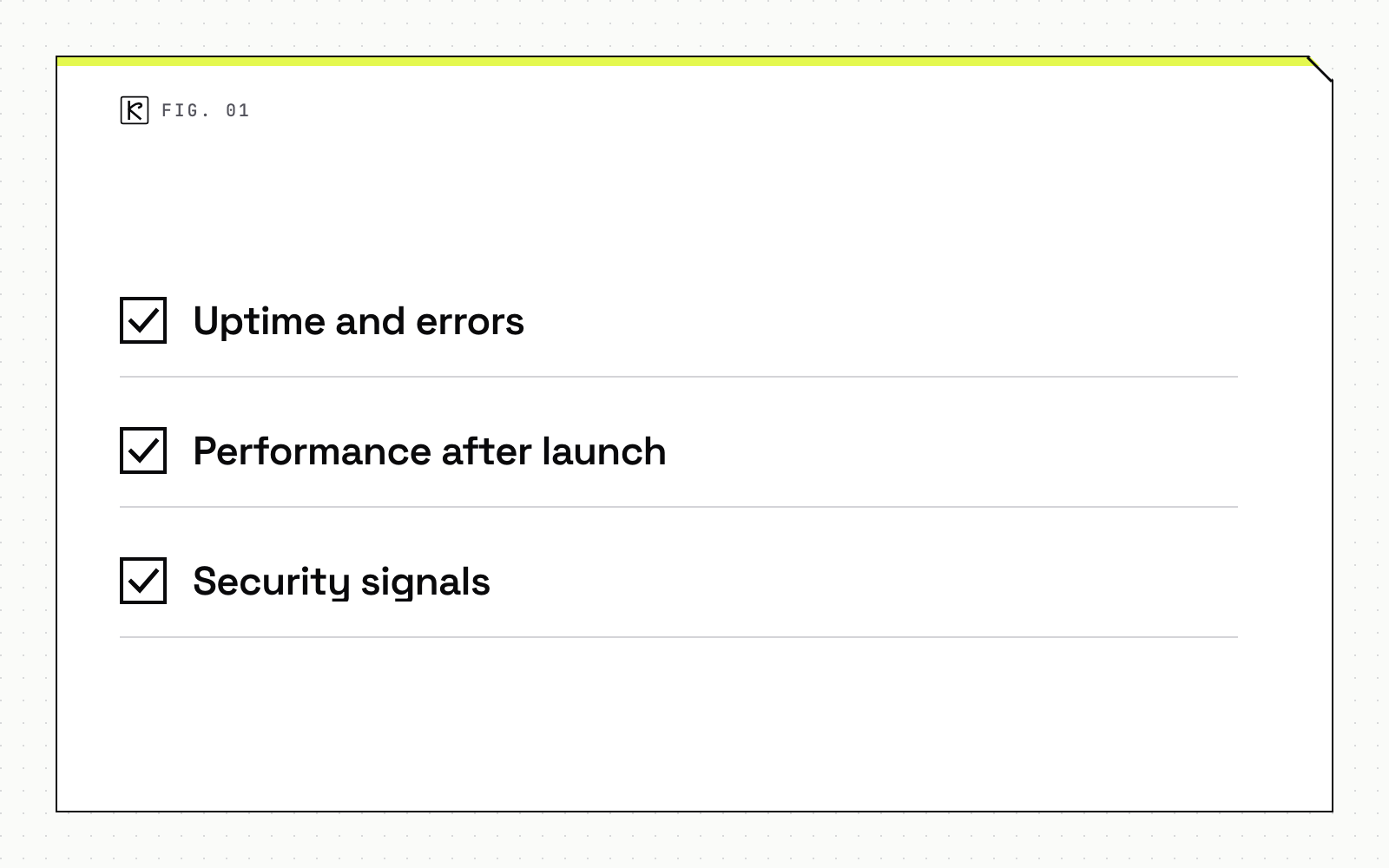
- Uptime and errors. Vercel's checklist recommends observability to investigate errors and monitor traffic. Whatever tooling you use, alerts should reach a named person.
- Performance after launch. The same checklist lists field performance data (Core Web Vitals) and Time To First Byte review. Speed drifts as pages, scripts and embeds get added. For a real example, see Core Web Vitals on embedded menus.
- Security signals. Given the hacked-content patterns above, monitoring should include checks for unexpected new pages and redirects, not just "is the homepage up".
Incident response and rollback
Most plans skip this part. Vercel's checklist asks teams to define an incident response plan with escalation paths, communication channels and rollback strategies. Translate that for a small business site into four lines:
- Who is contacted first, and by what channel.
- How quickly the provider acknowledges an issue.
- How a bad change is rolled back. On modern hosting this can take minutes; see preview environments and rollbacks.
- How you are told what happened afterward.
Tradeoffs and edge cases
Static versus CMS sites. A static or framework-based site has fewer moving parts than a plugin-heavy CMS site. The plan can be lighter, but it is never empty. Dependencies, hosting, domains, certificates and forms still need an owner.
What is in scope versus billed separately. New features, redesigns and new content are not maintenance. Put the boundary in writing, including what happens when a security fix needs more than routine work.
What not to accept. Be cautious of plans promising an uptime percentage or search rankings. Uptime depends on hosting you may not control, and no vendor controls rankings. Ask for scope, response process and reporting instead. This guide quotes no prices because the sources reviewed for it carry none, and published rates vary widely by scope.
Questions to ask before signing:
- What exactly is covered, layer by layer?
- Who responds to an incident, and how fast do they acknowledge it?
- Where are backups stored, and when was one last restored?
- What do I receive each month or quarter as proof of work?
- Who holds the hosting, domain and admin credentials?
Kallos Labs offers care plans for sites we build, and these are the questions we expect to be asked. If you want a second read on a plan you were quoted, our web development team can walk through it with you.
Frequently asked questions
What is a website maintenance plan?
A website maintenance plan is a written agreement for the recurring work that keeps a site secure, current and online. It covers updates, backups, monitoring, access review and a response process for incidents.
Do I need a maintenance plan if my site is static?
Usually a lighter one, not none. A static or framework-based site has fewer moving parts, but dependencies, hosting, domains and certificates still need an owner.
Should backups be part of the plan?
Yes, and they should include a restore test. web.dev advises regular, automated backups and confirming a backup predates any compromise before you restore from it.
What should a maintenance plan not promise?
It should not promise uptime figures or search rankings it cannot control. Ask for a defined scope, a response process and regular reporting instead.