WCAG 2.2 requirements for web apps: what developers actually implement, 2026
WCAG 2.2 adds nine success criteria to 2.1. For most web apps, six at Level A and AA need real engineering work: focus visibility, target size, dragging, authentication, redundant entry and help.

WCAG 2.2 in one paragraph
WCAG 2.2 adds nine success criteria to WCAG 2.1, and six of them sit at Level A or AA, which is where most web app teams aim. Those six cover keyboard focus visibility, dragging alternatives, a 24 by 24 CSS pixel minimum target size, password-friendly login, not asking users to retype data, and consistent placement of help. The standard was published on 5 October 2023 and updated on 12 December 2024. This is engineering guidance, not legal advice: check which version and level your contract or local rules name.
What changed in WCAG 2.2
W3C's "What's New in WCAG 2.2" lists nine new criteria. Two are Level A, four are Level AA and three are Level AAA.
| Criterion | Level | What it asks for |
|---|---|---|
| 2.4.11 Focus Not Obscured (Minimum) | AA | A focused item is not entirely hidden by author-created content |
| 2.4.12 Focus Not Obscured (Enhanced) | AAA | A focused item is fully visible |
| 2.4.13 Focus Appearance | AAA | The focus indicator meets size and contrast requirements |
| 2.5.7 Dragging Movements | AA | Dragging has a single-pointer alternative |
| 2.5.8 Target Size (Minimum) | AA | Pointer targets are at least 24 by 24 CSS pixels, with exceptions |
| 3.2.6 Consistent Help | A | Repeated help mechanisms keep the same relative order |
| 3.3.7 Redundant Entry | A | Information already entered is auto-filled or selectable |
| 3.3.8 Accessible Authentication (Minimum) | AA | Login does not depend on a cognitive function test, with exceptions |
| 3.3.9 Accessible Authentication (Enhanced) | AAA | Stricter version of 3.3.8 |
One criterion went away. 4.1.1 Parsing is marked "Obsolete and removed" in the WCAG 2.2 text. Authors who must conform to WCAG 2.0 or 2.1 by policy may still need to test and report on it.
WCAG 2.2 is also backward compatible. W3C states that "content that conforms to WCAG 2.2 also conforms to WCAG 2.1 and WCAG 2.0." Adopting 2.2 does not mean redoing your 2.1 work.
Focus not obscured and keyboard focus in app shells
Criterion 2.4.11 (AA) says: "When a user interface component receives keyboard focus, the component is not entirely hidden due to author-created content." The key word is "entirely": partial overlap passes the minimum level, full overlap fails.
Web apps trip on this more often than content sites, because app shells stack fixed layers. Common culprits:
- Sticky headers and docked toolbars covering a field when you tab down a long form.
- Cookie banners and chat widgets pinned to the bottom of the viewport.
- Drawers and side panels that sit above the element that just received focus.
The usual fix is CSS: set scroll-padding-top and scroll-padding-bottom on the scrolling container to at least the height of your fixed layers, so the browser scrolls focused elements clear of them. Then test by tabbing through every screen with the real chrome visible. The difference between a marketing site and a SaaS dashboard matters here: a dashboard has far more persistent layers than a landing page.
The two AAA criteria go further. 2.4.12 wants the focused item fully visible, and 2.4.13 sets size and contrast rules for the focus indicator. You can adopt them early, even though you aren't required to.
Target size and dragging
2.5.8 Target Size (Minimum)
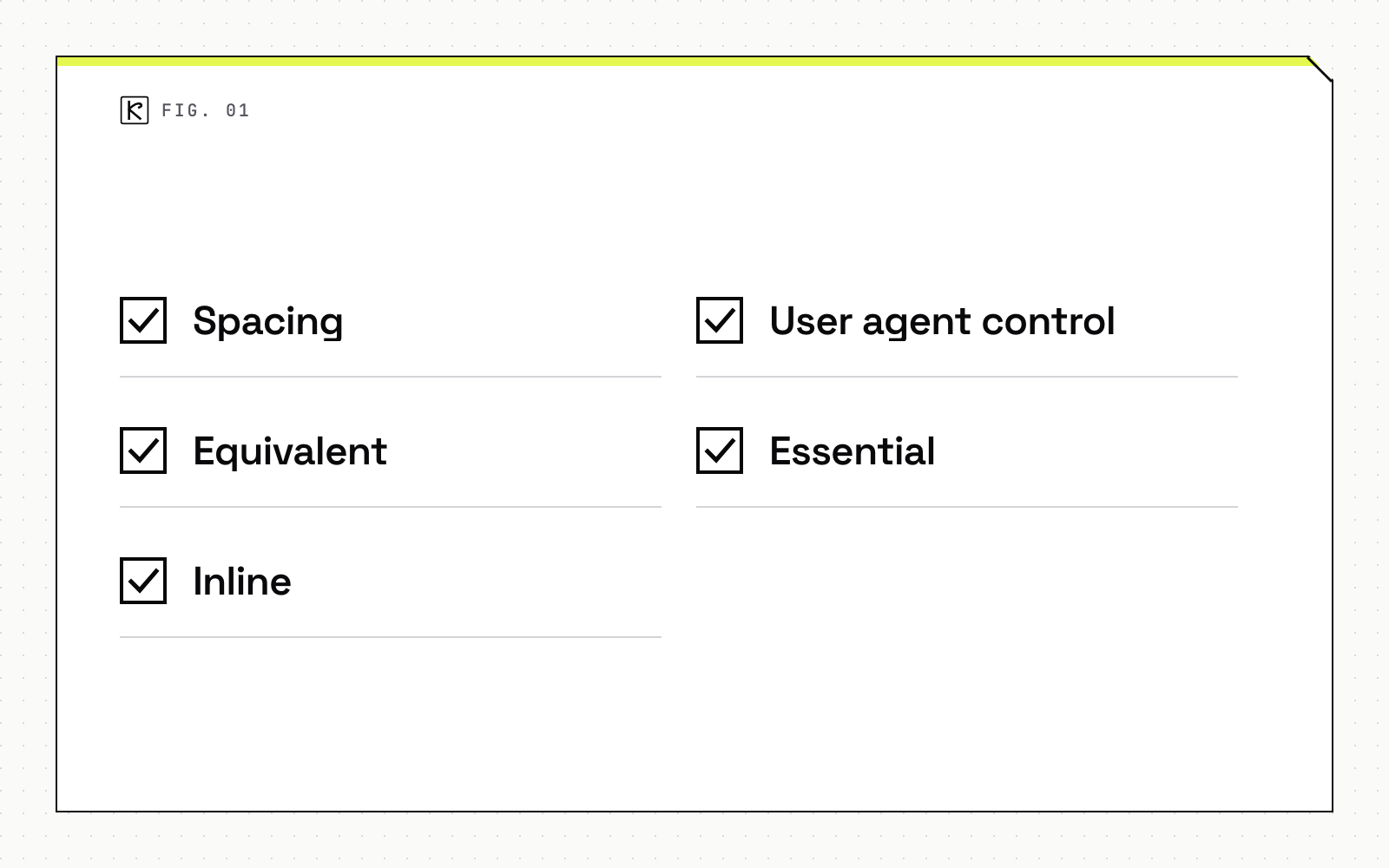
The rule: "The size of the target for pointer inputs is at least 24 by 24 CSS pixels, except when" one of five exceptions applies. W3C's Understanding page describes them:
- Spacing: an undersized target passes if a 24 CSS pixel diameter circle centered on it does not intersect another target or another undersized target's circle.
- Equivalent: the same function is available through another control on the same page that meets the size rule.
- Inline: the target sits in a sentence, or its size is limited by the line height of surrounding text.
- User agent control: the browser sets the size and the author has not changed it.
- Essential: a particular presentation is essential, such as map pins at exact locations, or legally required.
The intent is to make targets easier to hit without touching a neighbor. That helps people with tremors, limited dexterity or specialized input devices, and it improves touchscreen use for everyone. In practice, check icon buttons in table rows, close buttons on chips and toasts, pagination controls and dense toolbars. A 16 pixel icon can pass if it has padding that brings the hit area to 24 pixels, or enough space around it.
2.5.7 Dragging Movements
Criterion 2.5.7 (AA) requires that "all functionality that uses a dragging movement for operation can be achieved by a single pointer without dragging," unless dragging is essential or the browser determines it. Sortable lists, kanban boards, range sliders and file reordering all qualify.
The standard fix is a second path to the same result: up and down buttons on list items, a "Move to" menu on cards, or click-to-set on a slider track. Agree on these alternatives early in design handoff so they are drawn, not improvised in code.
Authentication, redundant entry and consistent help
3.3.8 Accessible Authentication (Minimum)
Criterion 3.3.8 (AA) says a cognitive function test, "such as remembering a password or solving a puzzle," is not required for any step in an authentication process unless that step provides at least one of these:
- Another authentication method that does not rely on a cognitive function test.
- A mechanism to assist the user in completing the test.
- A test that is only to recognize objects.
- A test that is only to identify non-text content the user provided to the site.
For most apps this comes down to a few decisions. Don't block paste in password fields, and keep autocomplete attributes correct, so password managers work. Offer a passkey, email link or similar alternative where you can. If you use a CAPTCHA that asks users to solve a puzzle, provide a method that avoids it.
3.3.7 Redundant Entry
Criterion 3.3.7 (A) says information previously entered by or provided to the user, and required again in the same process, must be auto-populated or available to select. Exceptions cover cases where re-entering is essential, where it is required to secure the content, and where the earlier information is no longer valid. The usual targets are checkout and onboarding flows: a billing address that copies the shipping address, or a confirmation step that reuses earlier answers. Confirming a new password is a typical security exception.
3.2.6 Consistent Help
Criterion 3.2.6 (A) applies when help mechanisms repeat across a set of pages: human contact details, a human contact mechanism, a self-help option or a fully automated contact mechanism. They must occur in the same relative order to other page content, unless the user changes it. Put your help link, chat launcher or support email in one shared layout component so it cannot drift between screens.
How to test and which level to target
Target Level AA. It includes every Level A and AA criterion from earlier versions plus the six new ones above. Treat the three AAA criteria as optional improvements.
A practical order of work:
- Tab through every key flow with all fixed layers visible, and check that no focused element disappears (2.4.11).
- Audit interactive elements for hit area against the 24 pixel rule (2.5.8).
- List every drag interaction and ship a single-pointer alternative (2.5.7).
- Review login, signup and checkout for blocked paste, forced puzzles and repeated fields (3.3.8, 3.3.7).
- Confirm help placement in the shared layout (3.2.6).
Automated tools catch only part of this, so keep the manual keyboard pass. Add the checks you can automate to your pipeline, the same way you enforce checks in CI for performance. If you want a second pair of eyes on a product build, talk to Kallos Labs.
Frequently asked questions
Does WCAG 2.2 replace WCAG 2.1?
No. W3C says content that conforms to WCAG 2.2 also conforms to 2.1 and 2.0, and 2.2 adds criteria without changing existing ones. Neither 2.1 nor 2.2 deprecates its predecessor, though W3C encourages using the latest version.
Do I still need to test 4.1.1 Parsing?
WCAG 2.2 marks 4.1.1 as obsolete and removed. If a policy or contract pins you to WCAG 2.0 or 2.1, you may still need to test and report on it.
What is the minimum target size in WCAG 2.2?
Success criterion 2.5.8 (AA) asks for pointer targets of at least 24 by 24 CSS pixels, unless the spacing, equivalent, inline, user agent control or essential exception applies.
Can a login form still require a password?
Yes, if it passes 3.3.8: a step that relies on remembering a password is allowed when it offers an alternative method, an assistive mechanism such as paste or a password manager, object recognition, or personal content the user provided.