Sharing auth and data contracts between a Next.js backend and a SwiftUI app, 2026
A shared backend for SwiftUI and Next.js works when one auth provider issues the tokens and one Postgres schema generates the types for both clients.

A shared backend for a SwiftUI app and a Next.js app works when two things are single-sourced: one auth provider that issues the tokens, and one database schema that generates the types for both clients. Everything else is plumbing. This article uses Supabase as the concrete example, because its documentation covers both halves, and points out where the idea applies to any provider.
If you are adding an iOS app to a web product that already exists, the hard part is rarely the first request. It's the seams: a token that expires mid-request, a field that is nullable on one platform and required on the other, a user who signs out on the phone and stays valid on the server. Handoffs between the two surfaces, such as universal links and web-to-app handoff, only work if both sides agree on who the user is.
One identity, two clients
Pick the auth provider as the source of truth for identity. Neither client owns it. The web app and the iOS app both sign in against the same project, so both receive tokens for the same user ID, and every database rule that keys off that ID applies equally on web and on iOS.
The two clients store the session differently. In the browser, the Supabase guide for Next.js keeps the session in a cookie named sb-<project_ref>-auth-token. A native app has no cookie jar to lean on, so it holds the session itself and sends the access token to your server in an Authorization: Bearer header. That header is our recommended pattern, not something the provider mandates. The shared piece is the JWT, not the storage.
This split matters for architecture. A dashboard rendered on the server and a native client have different failure modes, a point covered in marketing site versus SaaS dashboard architecture. Decide early which requests go straight to the database under row level security and which go through a Next.js route handler. Route through Next.js when the work needs a server-only secret, a third-party call or business logic that must not live on a device.
What the Next.js server verifies
The server verifies the token itself. It never accepts an identity the client merely claims.
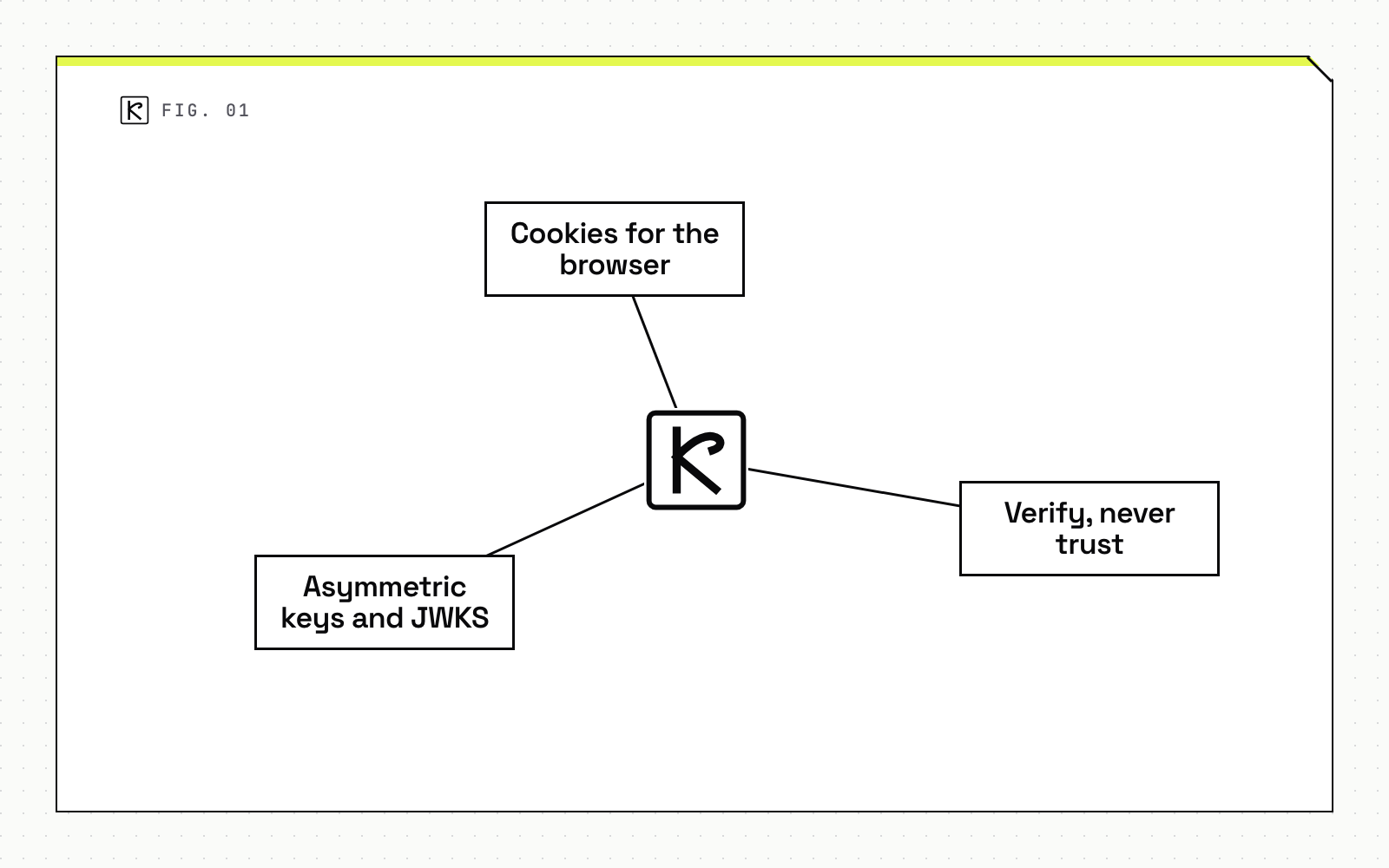
Cookies for the browser, bearer tokens for SwiftUI
Server-rendered pages read the cookie session through @supabase/ssr. Route handlers that serve the iOS app read the bearer header instead. Both paths end in the same question: is this token valid, and whose is it?
Verify, never trust
The Supabase server-side guide is blunt: "Never trust supabase.auth.getSession() inside server code such as Proxy." Its reasoning is that the session "is loaded directly from local storage and isn't re-validated against the Auth server", and that "Anyone can forge the session cookie." The Next.js server-side auth guide recommends getClaims to protect pages and user data. With asymmetric signing keys, getClaims verifies the token locally against cached public keys. With a symmetric secret, it calls the Auth server instead. getUser always makes a network call and returns the freshest user record, at the cost of latency.
Asymmetric keys and JWKS
If a route handler verifies the bearer token without the client library, use a JWT library against the project's JWKS endpoint, https://project-id.supabase.co/auth/v1/.well-known/jwks.json. The Supabase JWT documentation says not to implement signature verification yourself. It also recommends asymmetric keys over a shared HS256 secret: a leaked secret lets someone impersonate users, and it is easy to expose by accident through prefixes such as NEXT_PUBLIC_. The claims you will read are sub (the user ID), exp (expiry) and role (the Postgres role used for row level security).
Token lifetime and refresh
Access tokens are short lived. Per the Supabase sessions documentation, the usual range is 5 minutes to 1 hour, the default is 1 hour, and values below 5 minutes "should not be used in most situations". Your longest-running request should fit inside the token lifetime, or the token can expire partway through.
Refresh tokens are the part that breaks shared setups. They are single-use: exchanging one returns a new access and refresh token pair. The default reuse interval is 10 seconds. Reuse outside that window is treated as possible theft, and the whole session is terminated. The Next.js guide describes the symptom: refreshing in two places "looks like users being signed out at random."
The practical rule for a two-client system is that each client refreshes its own session, in one place. The SwiftUI app owns its refresh. A route handler that serves it should verify the token it receives and return a 401 when it is expired, never refresh on the client's behalf. On the web, the Proxy (middleware on Next.js 15 and earlier) is the single place that refreshes, and Server Components receive the result.
Sign-out needs one more check. Signing out deletes the session row, but the JWT stays cryptographically valid until exp. Every access token carries a session_id claim that matches the primary key of auth.sessions, so for high-sensitivity actions the docs suggest confirming that the row still exists. If it does not, the user has signed out.
An app that was offline will usually wake up with an expired token. Plan for that in the client, as covered in offline-first iOS apps: queue the work, refresh once, then replay.
The schema is the data contract
The database schema is the contract that both clients can generate from. The Supabase CLI reads your Postgres schema and writes types. For the web:
npx supabase gen types typescript --project-id "$PROJECT_REF" --schema public > database.types.ts
The CLI reference for gen types lists a language option that accepts typescript, go, swift or python. So the same command with the language set to swift produces Swift types from the same schema. Check the built-in help of npx supabase gen types for your CLI version before wiring it into a build.
The payoff: a column added, renamed or made nullable shows up as a compile error on both platforms, rather than as a decoding failure in production. Pass the generated Database type to createClient<Database>() on the web, and use the generated Swift types in the app.
Generated types cover rows. They do not cover the request and response bodies of your own Next.js route handlers. For those, define the shape once in a schema file (OpenAPI or JSON Schema are common choices) and generate both sides from it. That step is a recommendation, not a documented Supabase feature.
Keeping contracts in sync in CI
Types drift. Someone changes the schema and forgets to regenerate. The Supabase guide to generating types describes a scheduled GitHub Action that regenerates database.types.ts and commits and pushes only when the file changed. A stricter variant, which is a common team practice, runs the same generation on every pull request and fails the build if the committed output differs. Run it for the Swift output too, so a schema change cannot merge with stale types on either side.
Summary
As of October 2026, the pattern is stable: one provider issues the tokens, the Next.js server verifies every bearer token against public keys, each client refreshes its own session, and one schema generates the types for both. If you are planning an iOS app next to an existing web product, our iOS development and web development teams can scope the shared backend work together.
Frequently asked questions
Can the SwiftUI app and the Next.js app share one login?
Yes, if both use the same auth provider project. Each client signs in against that project and receives tokens for the same user ID, so the same account and the same database rules apply on web and on iOS.
Should the Next.js server trust the user object the Swift app sends?
No. Trust only a token the server verifies itself. Send the access token in an Authorization header and verify its signature and expiry on every request, as the Supabase docs advise for session data in general.
Does the Swift app need to call Next.js at all?
Not always. For plain reads and writes, the Swift client can talk to the database directly under row level security. Route through Next.js when you need server-only secrets, third-party calls or business logic that must not live on the device.