AI agent cost control: tokens, caching and model routing, 2026
AI agent cost comes from resent context and output tokens. Cache the stable prefix, trim context and route each step to the cheapest model that passes.

Introduction
AI agent cost is mostly input tokens that get resent on every turn, plus output and thinking tokens that cost more per unit. Three levers control it: cache the stable part of the prompt, keep the rest of the context small, and send each step to the cheapest model that still passes your checks.
For scale, Anthropic's cost-management documentation reports an average of about $13 per developer per active day, with costs below $30 per active day for 90% of users. Your agent will differ, but the mechanics are the same. Below: where the tokens go, how to cache, how to trim, how to route, and how to cap spend.
Where agent tokens go
Every turn resends the conversation
A model keeps no memory between requests. So an agent loop sends the system prompt, the tool definitions and the whole conversation so far on every turn, and each tool call triggers another request carrying the new result. A 20-step task pays for the early context 20 times. Anthropic's cost documentation says the same about long sessions: the full conversation is sent with every request, so a one-line question late in a long session still pays for the whole history.
Output and thinking tokens cost more
Output is priced above input. As of October 2026, Anthropic's pricing page lists Sonnet 5.5 at $2 per million input tokens and $10 per million output tokens, a 5x gap. Thinking tokens are billed as output, so a high reasoning effort on a simple step is a direct cost, not a free quality boost.
More agents mean more requests
Every subagent sends its own requests on top of the main conversation. Anthropic's cost-management documentation estimates that agent teams use approximately 7x more tokens than a standard session when teammates run in plan mode. Add agents when the work needs them. Not by default.
Prompt caching: pay once for the stable prefix
What the multipliers are
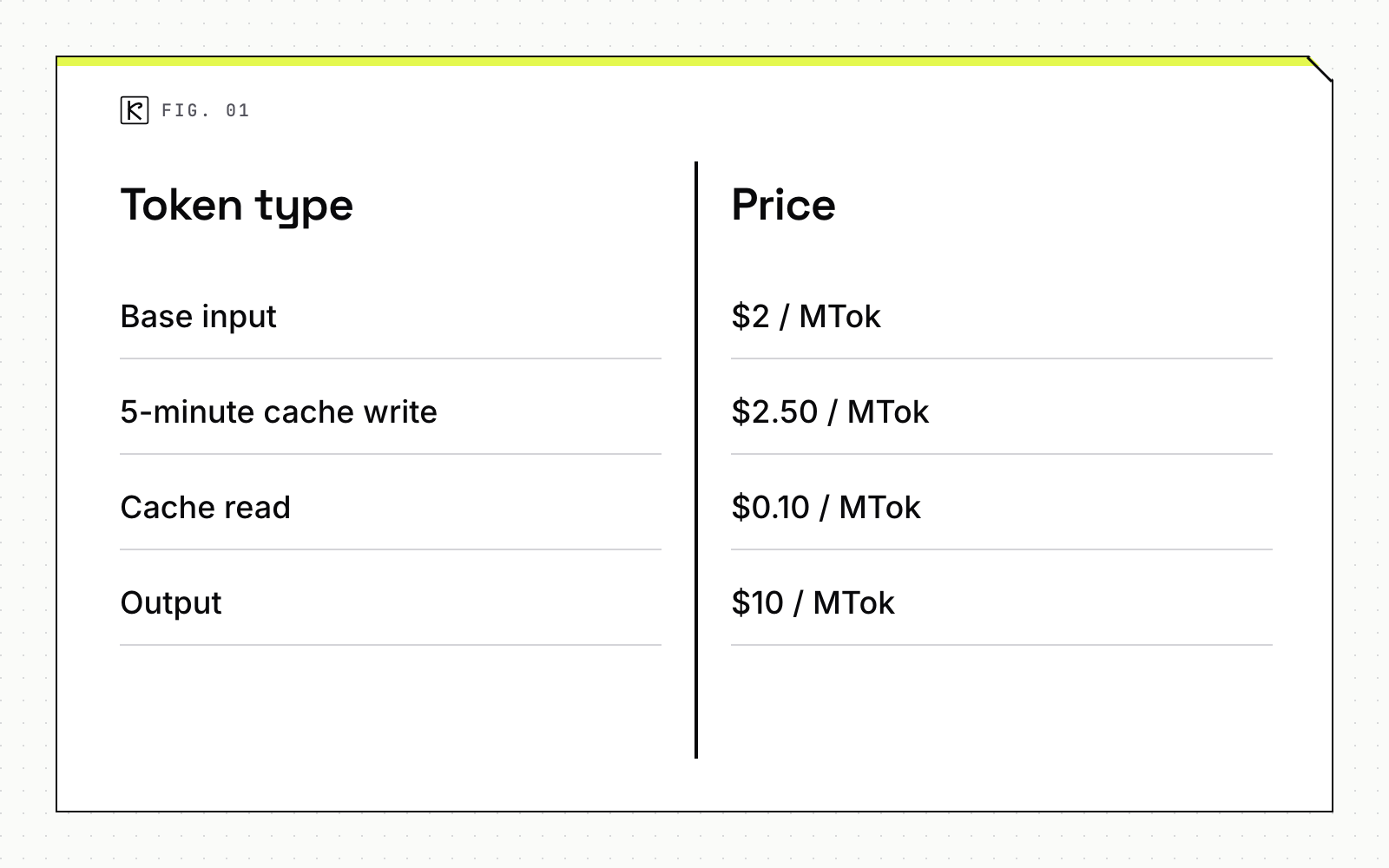
Prompt caching stores the processed prefix of your prompt so later requests read it at a discount. Anthropic's prompt caching documentation gives these multipliers against the base input price:
- 5-minute cache write: 1.25x
- 1-hour cache write: 2x
- Cache read: 0.1x by default, and 0.05x on Opus 5.5 and Sonnet 5.5
Breakpoints themselves add no cost. OpenAI's prompt caching guide lists a similar shape for GPT-5.6 and later: writes at 1.25x, reads at 0.1x, and a 30-minute retention window.
Here is what that means at list price on Sonnet 5.5, in USD per million tokens (MTok):
| Token type | Price |
|---|---|
| Base input | $2 / MTok |
| 5-minute cache write | $2.50 / MTok |
| Cache read | $0.10 / MTok |
| Output | $10 / MTok |
A cache write costs 25% more than normal input, and each read saves 95%. The prefix pays for itself on the first reuse.
Take an agent with a 20,000-token prefix (system prompt, tool definitions, reference material) that runs 30 turns inside the cache window. Uncached, that prefix costs 600,000 tokens x $2 per MTok, or $1.20. Cached, it is one 20,000-token write ($0.05) plus 29 reads of 20,000 tokens ($0.058), about $0.11 in total. That is arithmetic from list prices, so check the live pricing page before you budget, because prices change.
Structure the prompt for hits
A cache hit needs an exact match of everything up to the breakpoint. Anthropic caches in the order tools, then system, then messages, and a change at one level invalidates that level and every later one. Practical rules:
- Put stable content first: instructions, tool definitions, reference documents.
- Put anything that changes per request, such as a timestamp or user name, at the end. A timestamp inside the system prompt defeats caching on every call.
- Keep tool definitions, their order and their schemas fixed. Changing a tool definition invalidates the whole cache.
- Append new messages. Don't rewrite or summarize earlier turns mid-run unless you accept a full rebuild; OpenAI notes that summarization or compaction can reset reuse.
- Place the breakpoint on the last block that stays identical across requests.
Check the minimum length and verify the hit
Prompts below the minimum cacheable length run uncached, and the API returns no error. The minimums differ by model: 512 tokens for Sonnet 5.5, Opus 5.5 and Haiku 5.5, 1,024 for Sonnet 4.6, and 4,096 for Haiku 4.5. OpenAI lists 1,024 visible input tokens for GPT-5.6 and later.
Don't assume caching works. Read the usage block on every response. On Anthropic, cache_creation_input_tokens counts tokens written, cache_read_input_tokens counts tokens read, and input_tokens counts only the uncached tokens after the last breakpoint. Total input is the sum of the three. If both cache fields are 0, the prompt was not cached, usually because it was too short. On OpenAI, the equivalent field is usage.input_tokens_details.cached_tokens. Log these per run and alert when the read share drops.
Pick the right TTL
The default 5-minute lifetime refreshes at no cost every time the cache is read, so a busy agent keeps it warm. An agent that pauses for human review will miss the window. For those, the 1-hour option costs 2x on write and holds through longer gaps. If a 1-hour entry and a 5-minute entry share a prompt, the 1-hour entry must come first.
Keep context small
Caching makes repeated tokens cheap, not free. A bloated context still costs reads, latency and accuracy. Anthropic's cost-management documentation lists habits that apply to any agent you build:
- Clear between unrelated tasks. Stale context adds tokens to every later message. Start a fresh session for a new job.
- Preprocess before the model sees data. Filtering a log for error lines before it reaches the model can cut the context from tens of thousands of tokens to hundreds.
- Delegate noisy work. Test runs, documentation fetches and log processing can run in a subagent whose context absorbs the output while only a summary returns.
- Load instructions on demand. Keep always-on instructions short and move workflow-specific guidance into pieces that load only when needed. The documentation suggests keeping the standing instruction file under 200 lines.
- Match reasoning effort to the step. Lower effort for simple steps, since thinking tokens bill as output.
Watch the idle gap too. The first message after a break longer than the cache lifetime misses the cache and reprocesses the full context, so a scheduled agent that wakes every 30 minutes on a 5-minute TTL pays the full price each time.
Route each step to the cheapest model that passes
Price spreads between model tiers are far larger than any caching discount. The pricing page lists, per million tokens as of October 2026:
| Model | Input | Output |
|---|---|---|
| Haiku 5.5 (prompts up to 100K tokens) | $0.10 | $0.50 |
| Sonnet 5.5 | $2 | $10 |
| Opus 5.5 | $4 | $20 |
| Fable 5.1 | $10 | $50 |
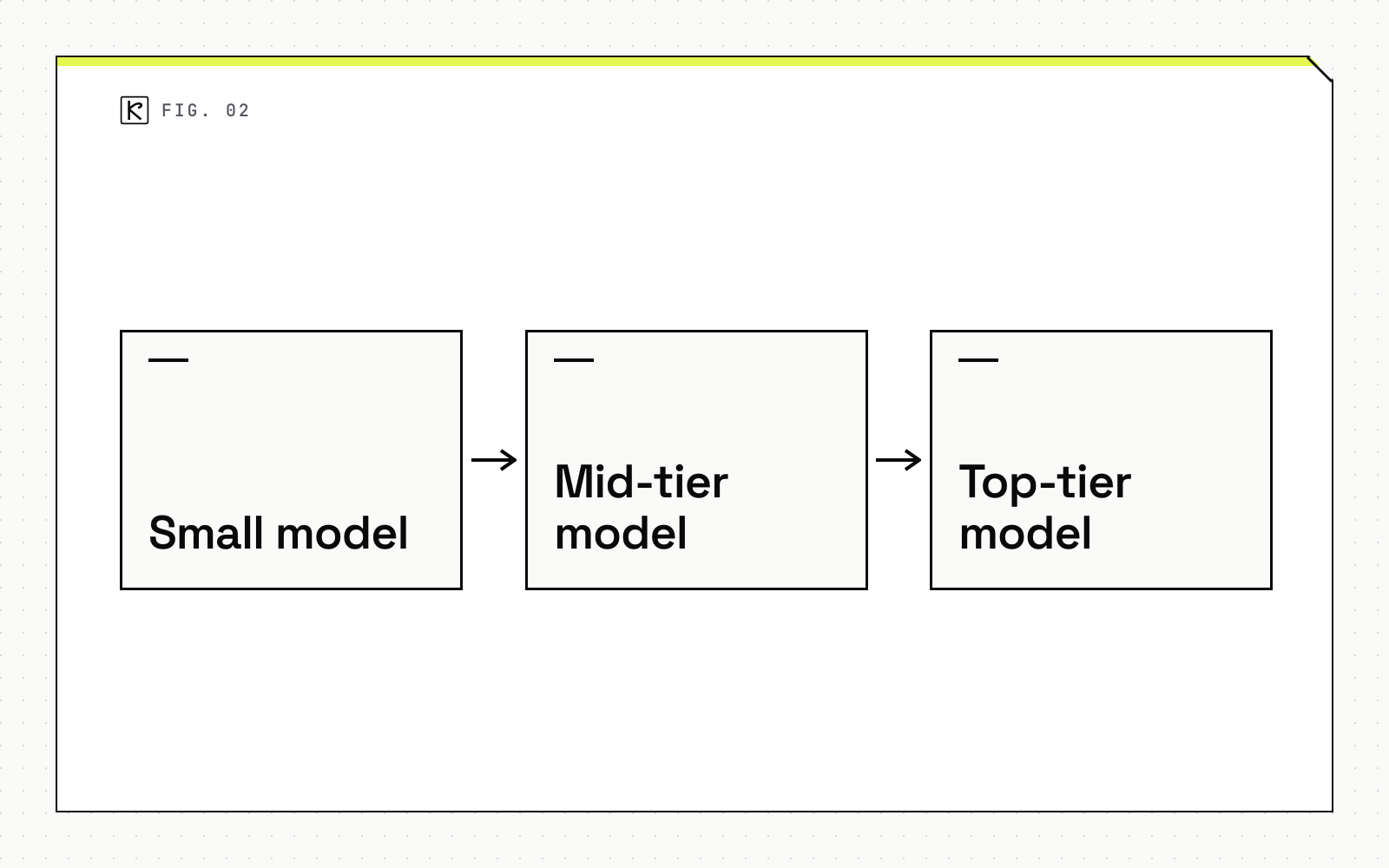
An agent that sends every step to the top tier pays up to 100x more on input than one that sends classification steps to a small model. A common routing pattern:
- Small model: classification, extraction, formatting, routing decisions, simple subagent tasks. Anthropic's cost-management documentation suggests
model: haikufor simple subagent tasks. - Mid-tier model: most tool-using work and drafting.
- Top-tier model: planning, ambiguous requests and steps where a mistake is expensive to undo.
Don't route by intuition. Build an eval set of real inputs with known good outputs, run each step on the smaller model, and move up a tier only where the pass rate drops below your bar. Our guide to choosing a model for a feature covers the quality, latency and cost tradeoffs in more depth.
For work nobody is waiting on, such as nightly summaries or bulk classification, the Batch API gives a 50% discount on input and output tokens, and that discount combines with caching. The trade is asynchronous results instead of an immediate reply.
Set budgets and stop conditions
Optimization lowers the average. Limits protect you from the worst case: a loop that retries a failing tool 200 times. A workable set of controls:
- A maximum number of turns and a maximum token count per run, enforced in code, not in the prompt.
- A repeat detector that stops the run when the same tool call with the same arguments appears three times.
- A spend limit at the account or workspace level, so a bug cannot exceed a fixed monthly figure.
- Per-run logging of input, cache read, cache write and output tokens, tied to a run ID, so you can find the expensive step.
- A human approval step before costly or irreversible actions. See approval gates and audit logs for how to place them.
Teams that want help wiring these into a production workflow can look at Kallos Labs' AI automation work.
Conclusion
Measure first, then optimize in order. Log the usage fields so you know your cache read share and your cost per run. Fix prompt order so the prefix caches. Trim the context that does not need to be there. Route each step by eval results, and cap every run. Prices and minimums change, so re-check the pricing and caching pages each quarter.
Frequently asked questions
How much does prompt caching save on an AI agent?
On Anthropic models a cache read costs 0.1x the base input price, or 0.05x on Opus 5.5 and Sonnet 5.5, and a 5-minute write costs 1.25x, so a prefix pays for itself after one reuse. OpenAI charges 0.1x for reads and 1.25x for writes on GPT-5.6 and later.
What is the minimum prompt length for caching?
It depends on the model. Anthropic lists 512 tokens for Sonnet 5.5 and Opus 5.5, 1,024 for Sonnet 4.6, and 4,096 for Haiku 4.5, while OpenAI lists 1,024 visible input tokens for GPT-5.6 and later. Shorter prompts run uncached with no error.
How do I know whether caching is working?
Read the usage block on each response. If cache_creation_input_tokens and cache_read_input_tokens are both 0, the prompt was not cached, and on OpenAI you check input_tokens_details.cached_tokens instead.
Should an agent always use the cheapest model?
No. Route by step: a small model for classification and extraction, a stronger one for planning and hard reasoning, then confirm each routing choice against an eval set before you rely on it.