Service pages for AI answers: spec and comparison tables, 2026
Put specs in real HTML tables, mirror them in matching markup and keep both current. Google documents no table rule for AI answers, so treat it as practice.

Short answer
Put your specs and prices in labeled HTML tables, one fact per cell, with units. Mirror them in Product or Service markup that matches what the page shows, and keep both current. That is good practice for readers and for any system that extracts facts. Google does not document a table rule for its AI features, so treat the benefit as plausible, not proven.
This builds on answer capsules. A capsule answers one question in a sentence or two. A table answers the "what exactly do I get" question that a commercial page has to settle.
What Google says about product and service pages in AI answers
Google's guide to optimizing for generative AI features, published in May 2026, says generative AI responses may include product listings, product information and local business information where appropriate. It tells businesses to keep Merchant Center feeds and Google Business Profiles current, because those help products and services appear.
It is also direct about what you can skip. It says you don't need to create new machine readable files, AI text files, markup or Markdown to appear in Google Search. It says there is no requirement to break your content into tiny pieces for AI to better understand it. Structured data is not required for generative AI search, though Google still recommends it for rich result eligibility.
One more fact matters here: the guide does not discuss tables. Everything below about tables is craft, not a documented ranking signal. If you want the wider picture of how this differs from classic SEO, start with what answer engine optimization is.
Spec tables that read cleanly
A spec table is a data grid, so build it as one.
One fact per cell, units in the cell
Write "Battery life | 18 hours" and not "Battery life | great". Put the unit next to the number. Keep one value per cell. If a row has no value for a product, write "Not included" instead of leaving the cell empty, so nobody has to guess whether it was forgotten.
Use the same attribute names every time. If one page says "Turnaround" and another says "Delivery time" for the same thing, a reader comparing pages has to translate, and so does any system that extracts from them.
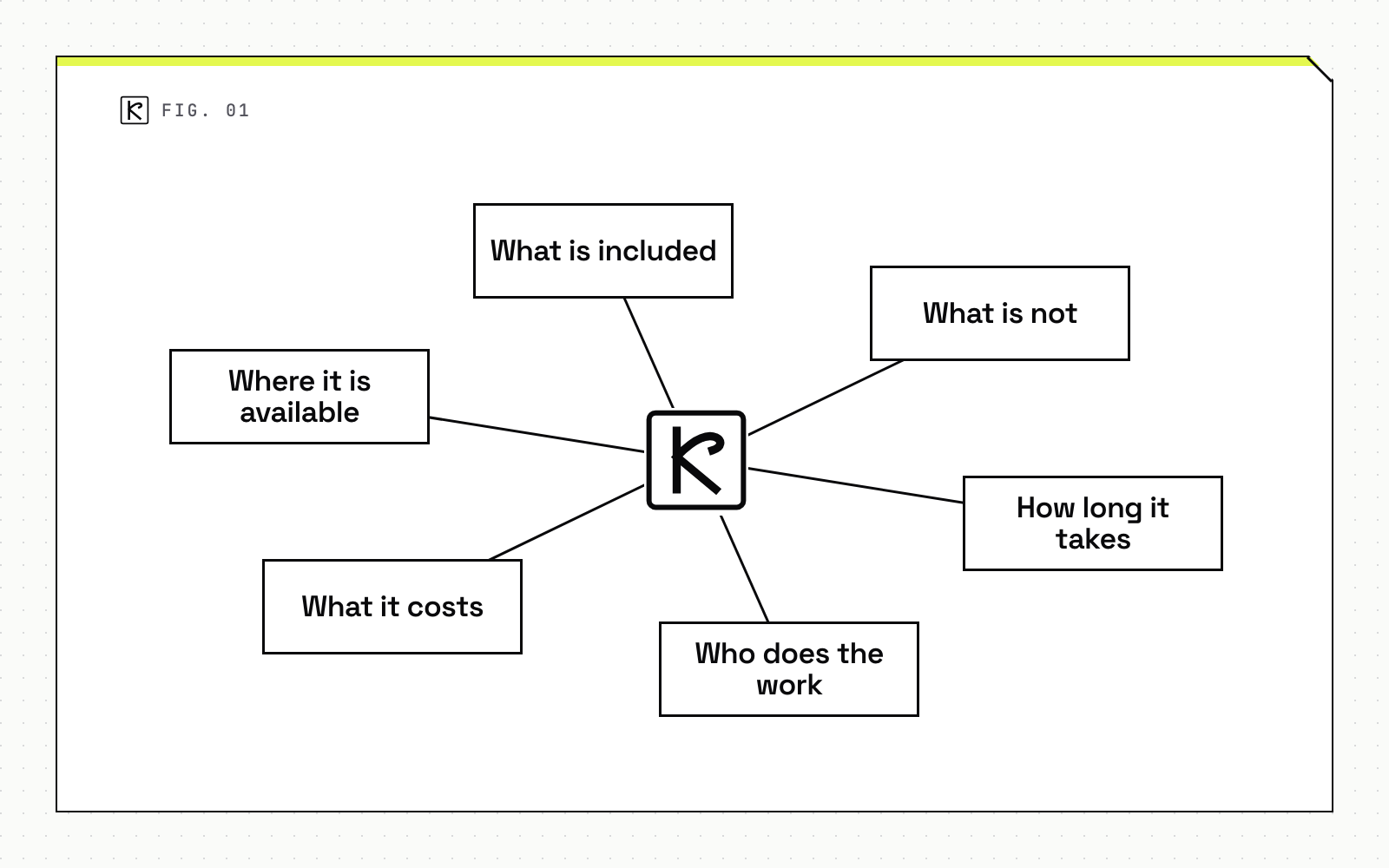
For services, the "specs" are scope facts: what is included, what is not, how long it takes, who does the work, what it costs, and where it is available. Price ranges are fine when they are real. If you can't publish a price, say what drives it.
Real th, td, scope and caption
The W3C's table tutorial is plain about the markup. Header cells must be marked up with <th>, and data cells with <td>. Use scope set to col or row where the header direction isn't obvious. A caption identifies the overall topic of a table and is useful in most situations. The tutorial also says that relying on visual cues alone is not sufficient to create an accessible table.
A minimal pattern looks like this:
<table>
  <caption>Plan comparison, prices in USD per month, checked 2026-10-26</caption>
  <thead>
    <tr><th scope="col">Feature</th><th scope="col">Basic</th><th scope="col">Pro</th></tr>
  </thead>
  <tbody>
    <tr><th scope="row">Seats</th><td>3</td><td>10</td></tr>
    <tr><th scope="row">Support response</th><td>2 business days</td><td>4 hours</td></tr>
  </tbody>
</table>
Don't use tables for layout, and don't swap a table for an image of one. Screen readers and crawlers can read table text. A screenshot gives them nothing.
Comparison tables you can defend
A comparison table puts two or more options on the same attributes. It earns trust only if it is fair.
- Compare on the same rows for every option, including the ones where you lose.
- Date the table. Put "checked 2026-10-26" in the caption, and recheck it on a schedule.
- Only state facts you can verify. If a competitor's price is not public, leave it out or say it is not published.
- Link the primary source for any third-party number.
- Add a sentence under the table that says who each option suits. That sentence is the part a person is most likely to quote.
Some trade publications say Gemini often surfaces "X vs. Y" content and that consistent rows and columns are easier to extract. Those are practitioner claims, not controlled tests, so hold them loosely. The risk of a fair, dated table is low, and the benefit to a human reader is real.
Markup that matches the page
Google separates two uses of Product data in its product structured data documentation. Product snippets are for pages where people can't directly purchase the product. Merchant listings are for pages where customers can buy from you, and they allow more detail such as shipping and return policy. Google adds that the more properties you can add, the more enhancements your page can be eligible for.
The general structured data guidelines set the rules that matter most:
- Don't mark up content that is not visible to readers of the page.
- Structured data must be a true representation of the page content.
- Make sure all structured data items are complete.
- Provide up-to-date information.
In practice, the price in your JSON-LD has to equal the price in your table today. If a developer hardcodes markup and the page later changes, the two drift apart, and the markup becomes a liability. Generate both from the same data source. Put Product markup in the initial HTML where you can, because Google notes that JavaScript-generated markup can make Shopping crawls less frequent and less reliable.
For the FAQ blocks on these pages, see FAQPage schema and AI answers. For the broader markup set, the schema markup guide covers the types and testing.
Variants and service pages
ProductGroup, variesBy, hasVariant, productGroupID
If a product comes in sizes or colors, Google's variant documentation uses ProductGroup. The required property is name. You list what differs in variesBy using full schema.org URLs such as https://schema.org/color or https://schema.org/size. You nest each variant as a Product under hasVariant, and you set a parent identifier with productGroupID.
Each variant needs a unique ID such as sku or gtin. Each variant must also be preselectable through its own URL, and the page must show the right image, price and availability for it. Your spec table should follow the same rule: if the variant changes the spec, the table for that URL shows that variant's values.
Service: provider, areaServed, serviceType, offers
Schema.org's Service type is defined as a service provided by an organization, such as a delivery service or print services. The properties that fit a service page are provider, areaServed, serviceType, offers and hasOfferCatalog, which can nest to group offerings by category.
Use them only for what the page states. If the page says you serve Minnesota, areaServed says Minnesota. Local service businesses should also keep their business profile accurate, as covered in local SEO for service businesses.
Conclusion
Use this checklist on any product or service page:
- Lead with a one or two sentence answer to what the page offers and for whom.
- Put specs and scope in a real table with
th,scopeand a dated caption. - Use the same attribute names across pages, with units.
- Mirror the visible facts in Product, ProductGroup or Service markup, generated from one data source.
- Keep Merchant Center feeds and business profiles current.
- Recheck the page on a schedule and update the date.
None of this is a trick. It just makes the page easier to read, easier to verify and easier to quote. If you want a team to audit service pages this way, the SEO and AEO service page at Kallos Labs describes what that work covers.
Frequently asked questions
Do I need Product schema to appear in Google's AI answers?
No. Google's guide says generative AI search does not require special markup. Structured data is still recommended for rich result eligibility, and it must match the visible page.
Should I split my specs into small chunks for AI?
No. Google says there is no requirement to break content into tiny pieces. Use a clear, labeled table because it helps readers, not because a crawler demands it.
Can a service page use schema like a product page?
Yes, with the Service type: provider, areaServed, serviceType, offers and hasOfferCatalog. Only mark up what the page shows.
Do comparison tables get quoted more often?
Google does not document that. Treat it as a reasonable practice for readers and a plausible help for extraction, not a proven ranking lever.