Web performance budgets: how to set them and enforce them in CI
A performance budget is a numerical limit on load time and page weight, enforced on every pull request so a site stays fast instead of slowly regressing.

Most teams fix a slow site once, celebrate the Lighthouse score, and move on. Then, a few months later, the site is slow again. Nobody shipped one big regression. A font here, a tracking script there, a chart library that seemed harmless in review: each change was small, and nothing stopped any of them.
A performance budget is how you stop that drift. It's a set of numbers a team agrees to stay under, wired into the same pull request checks that already gate merges. For a founder or engineering lead deciding how to run a product's release process, that distinction matters more than which specific metric gets picked first.
Here's what this covers: what a performance budget is, how to set the first one without guessing, concrete starting thresholds, and how to make continuous integration enforce it rather than just report on it.
What a performance budget actually is
A performance budget is not one number. A useful budget combines three kinds of metrics at once: timing milestones, resource quantity, and a rule based score.
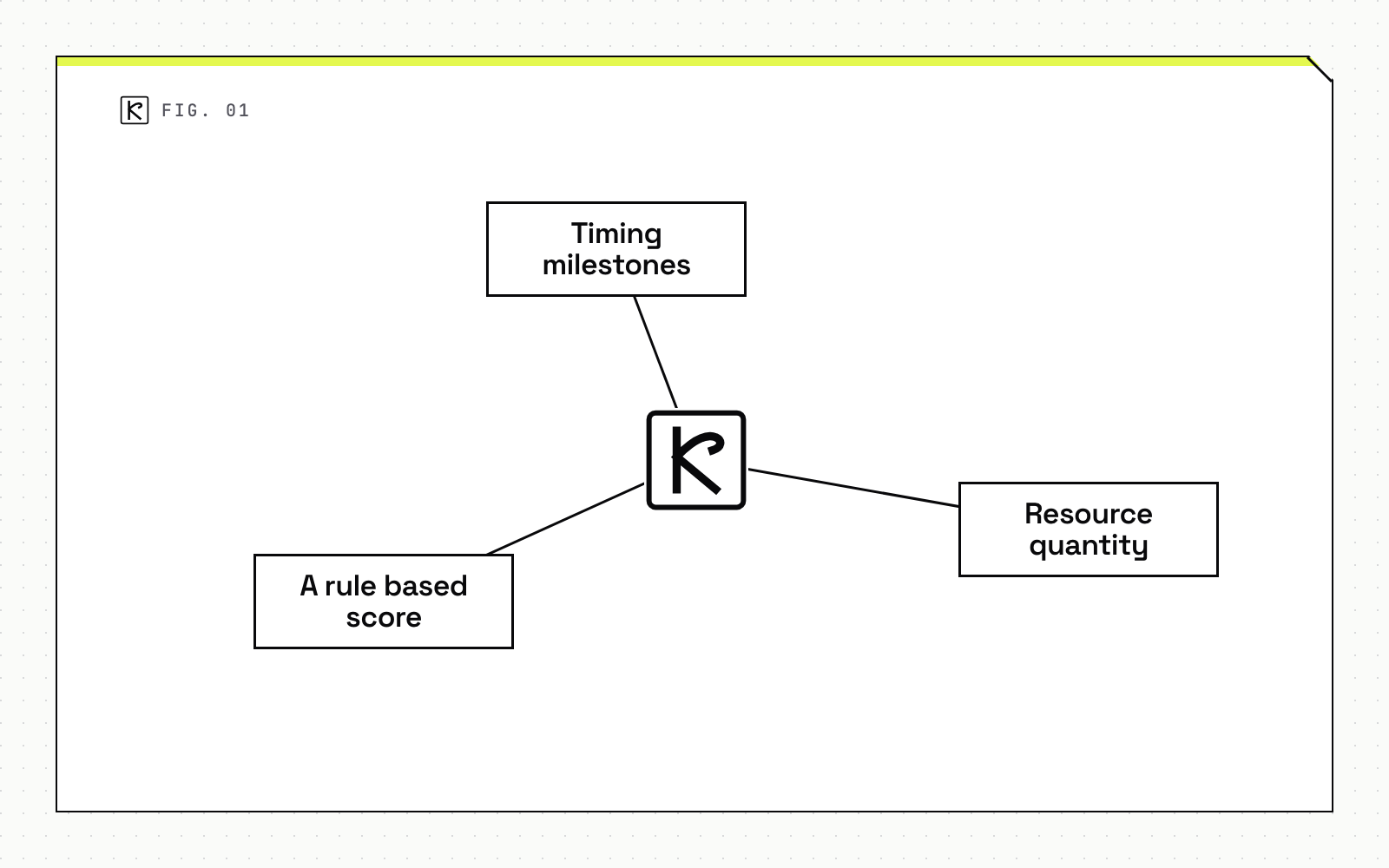
Timing milestones measure what a user experiences: First Contentful Paint, the moment something appears on screen, and Time to Interactive, the moment the page responds to input. Resource quantity measures what the browser has to download and execute before it can hit those timing targets, most often the size of critical path JavaScript and CSS. A rule based metric sets a floor on a composite score, typically the Lighthouse performance category, so a single number can gate a build even when nobody wants to parse five separate thresholds.
Treating these as one combined contract matters because they fail independently. A team can hit a fast Time to Interactive on a developer's machine while shipping 400KB of JavaScript that chokes on a mid range phone over 4G. This overlaps directly with the kind of structural checks covered in a technical SEO audit: Core Web Vitals are a ranking input, so a performance budget and an SEO audit are enforcing much of the same underlying contract from two different angles.
How to set your first budget
Guessing a number and hoping it holds is the most common way a performance budget gets ignored within a month. Set it from measurement instead.
Start by identifying the pages that carry the most traffic or the most business weight, then measure First Contentful Paint and Time to Interactive on each one using Lighthouse in a clean browser profile, extensions disabled, on both desktop and mobile. Those numbers are your baseline, not your target.
Next, benchmark against competitors. Pick 8 to 10 comparable sites and run the same measurement against them. The research behind this approach found that users notice a difference once it exceeds roughly 20 percent, which gives you a concrete target instead of an arbitrary one: aim to be at least 20 percent faster than your fastest competitor.
For a site that already exists and already has traffic, don't set that competitive number as day one. Set the first budget at 20 percent faster than current performance, then tighten it in stages as the team closes the gap. A budget nobody can hit in the first sprint gets quietly disabled by the second one.
Choosing starting thresholds
Specific numbers help a team stop debating and start shipping. A reasonable starting budget looks like this: Time to Interactive under 5 seconds on slow 3G, First Contentful Paint under 2 seconds, a Lighthouse performance score of 80 to 85, and critical path resources around 170KB on a slow 3G connection.
These numbers shift with context. A content heavy site, where readers mostly scroll and read, should weight First Contentful Paint more heavily. A tool or dashboard, where users expect to click something right away, should weight Time to Interactive more heavily. Rendering strategy changes the math too: a page built with incremental static regeneration can hit a fast Time to Interactive cheaply because the HTML is already built, which means the budget's bottleneck often moves from server response time to client side JavaScript execution instead.
Treat every number here as a starting point, not a ceiling to defend forever. Measuring your own baseline first gives you a defensible reason to tighten the number every quarter rather than a guess to argue about.
Enforcing budgets in CI with Lighthouse CI
A budget that lives in a document nobody checks isn't a budget. It needs to run on every pull request and fail the build when a change crosses the line.
Lighthouse CI is the current standard tool for this, configured through a lighthouserc.json file with ci.collect and ci.assert blocks. Inside ci.assert, each audit gets a severity: off skips it, warn prints a result without failing the build, and error fails the build with a non-zero exit code. Options per assertion include minScore for a 0 to 1 score, maxNumericValue for a timing metric in milliseconds, and maxLength for an item count. A shortcut like categories:performance with error and a minScore lets one line enforce the whole category score.
Resource budgets can be set two ways inside Lighthouse CI: inline assertions in the form resource-summary:<type>:size, measured in bytes, or a separate budget.json file, measured in kilobytes, which cannot be combined with other custom assertions in the same config. Pick one approach per project and keep the unit mismatch in mind when something fails by what looks like a factor of a thousand.
Run the check against a deployed preview or staging URL, not localhost. Real server response time and real network conditions change the numbers enough that a localhost pass can still regress in production. It's the same category of gate a web development team runs before any client site release: a check that has to pass before code reaches users, not a number someone remembers to look at later.
Bundle size tools as a lighter alternative
Lighthouse CI is thorough, but it's also more setup than some teams need on day one. Two lighter tools cover a narrower but still useful slice of the same problem.
Bundlesize checks gzipped asset size against a per file threshold and integrates directly with CI: if the check fails, the pull request does not merge. It's a hard gate with almost no configuration. Webpack's built in performance hints compare uncompressed bundle size against a default 250KB limit, but by default they only print a warning rather than fail the build, so a team has to explicitly wire that warning into a failing exit code to make it a real gate rather than a suggestion.
A lighter tool like bundlesize is often enough for a team that mainly wants to stop JavaScript bundles from creeping up over time. Full Lighthouse CI earns its setup cost once a team also cares about render timing, accessibility regressions, or a composite score that product and engineering can both look at.
Why budgets fail without enforcement
An internal Google study found that roughly 40 percent of sites regress on performance within six months of an initial optimization push. The budget was usually set correctly. What was missing was the second half of the work: a build process that actually fails when the budget is crossed, and somewhere outside engineering where the number stays visible, whether that's a shared dashboard or a recurring report someone else reads.
That combination, a number, a gate, and visibility, is the whole point. A budget without a gate is a wish. A gate without visibility is something engineering quietly works around under deadline pressure. Start with one enforced number in CI before building out a full budget.json, since a single working gate beats five thorough ones that nobody finished wiring up. Teams that want this set up without building it themselves can bring it to our web development team instead of DIYing the Lighthouse CI config from scratch.
Frequently asked questions
What is a web performance budget?
A performance budget is a set of agreed numerical limits, usually combining timing metrics like First Contentful Paint and Time to Interactive, resource size metrics like total JavaScript weight, and a minimum Lighthouse score, that a site commits to staying within as it changes over time.
What's a reasonable starting Lighthouse performance score budget?
Most teams start around 80 to 85 out of 100 for the Lighthouse performance category, then tighten the threshold as the codebase stabilizes. The number matters less than treating it as a floor enforced on every pull request rather than a target checked occasionally.
Does a performance budget have to run on every pull request?
It should. Budgets that only run on a schedule or get checked manually tend to catch regressions after they've already shipped. Wiring the check into the same CI pipeline that gates merges is what actually prevents a slow change from reaching production.