Image SEO in 2026: formats, alt text and lazy loading that do not hurt LCP
Serve AVIF or WebP with a fallback, never lazy-load the LCP image, and write alt text for people. What Google documents for each.

What image SEO comes down to
Image SEO is two jobs. Help search engines understand each image, and keep every image from slowing the page. The second job is where most sites lose: one wrong attribute on the hero image can push Largest Contentful Paint (LCP) past the threshold. The fixes are small and well documented. This guide sticks to what Google and web.dev publish.
What LCP measures, and where images fit
LCP is the time until the largest visible element renders, and on most pages that element is an image. web.dev's LCP guide (last updated March 31, 2025) sets the target at 2.5 seconds or less for at least 75% of page visits.
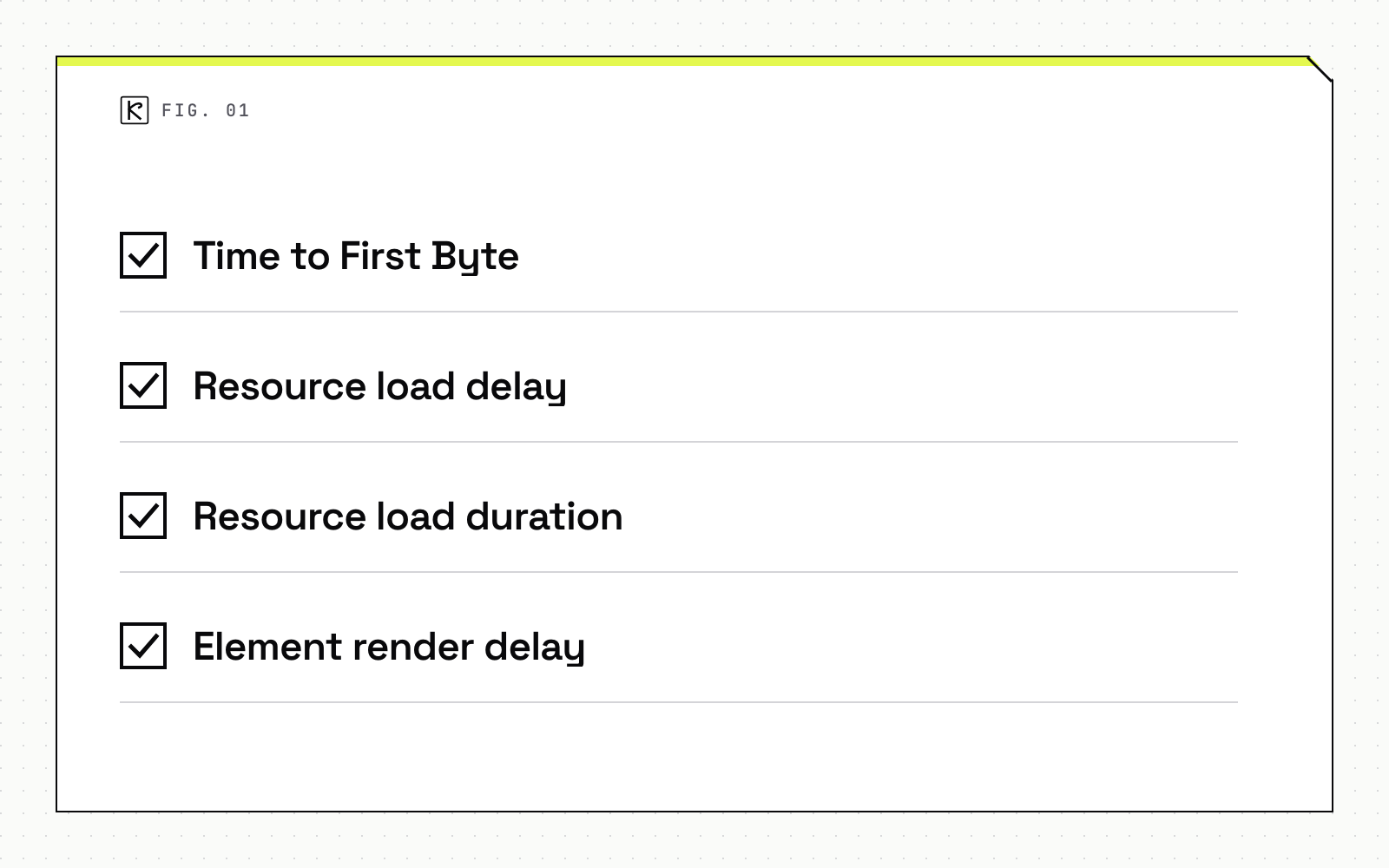
The guide splits LCP into four subparts, with an ideal share of the total for each:
- Time to First Byte: about 40% of the total. Request to first byte of the HTML.
- Resource load delay: under 10%. Time before the browser starts fetching the LCP image.
- Resource load duration: about 40%. Time spent downloading the image.
- Element render delay: under 10%. Time from download finished to image painted.
web.dev calls these shares guidelines, not strict rules, and says they are only meaningful relative to each other. In practice, find the oversized subpart before you change anything. A heavy file points at load duration. A late request points at load delay.
Formats: AVIF, WebP and a safe fallback
Google Search supports BMP, GIF, JPEG, PNG, WebP, SVG and AVIF in the src of an img element, per Google's image best practices (updated March 2, 2026). So AVIF versus WebP isn't an indexing question. It's a file size question. Make the file extension match the real file type.
Smaller files help the load duration subpart. web.dev lists switching to a more optimal format such as AVIF or WebP as one way to cut it. It also warns that shrinking an image alone can move the time into element render delay without improving LCP. Measure the subparts before and after, not just the file size.
If you use picture or srcset, keep a fallback. Google's guidance is to always specify a fallback URL in the src attribute, because some browsers and crawlers do not understand those attributes. A safe pattern is AVIF and WebP sources inside picture, with a JPEG or PNG img as the last child.
Lazy loading: what to defer and what never to
The loading="lazy" attribute defers an image until it nears the viewport. The browser decides the distance, and web.dev notes the thresholds are hardcoded. It works on img elements only, not CSS background images.
The rule that protects LCP is blunt: web.dev's LCP guide says: "Never lazy-load your LCP image." A lazy image waits until layout confirms it is near the viewport, which adds exactly the load delay you are trying to remove. The lazy loading guide (updated August 13, 2024) extends this to any image likely to be in the viewport at load. Use loading="lazy" only for images outside the initial viewport.
Dimensions matter here too. Without width and height, an image defaults to 0 by 0 pixels. In a gallery, the browser can then decide everything fits in the first viewport and load every image, which cancels the benefit.
fetchpriority and preload for the hero image
Browsers fetch images at low priority by default and raise the priority once layout shows the image is in the viewport. web.dev's Fetch Priority guide shows the fix: add fetchpriority="high" to the likely LCP image so it starts at high priority immediately. In a Google Flights test it improved LCP from 2.6 seconds to 1.9 seconds.
Three limits worth remembering:
- Use it on one or two images. web.dev warns that setting high priority on more than that makes the hint unhelpful for LCP.
- It is a hint, not a directive. The browser can override it.
- Combining
loading="lazy"withfetchpriority="high"is not really necessary, so pick eager loading for the hero.
The opposite hint helps too. Use fetchpriority="low" on above-the-fold images that are not immediately important, such as carousel slides 2 to 4.
If the LCP image is a CSS background, or is only referenced from a CSS or JavaScript file, the browser cannot find it early. web.dev advises preloading it with <link rel="preload" as="image"> and adding fetchpriority="high" to the preload, since preload alone does not change priority.
Alt text and file names that help search
Google states that "the most important attribute when it comes to providing more metadata for an image is the alt text." Write it for a person who can't see the image: what it shows, in plain words. Google's own example is alt="Dalmatian puppy playing fetch". Keyword stuffing makes a page look like spam and gains nothing.
Always include the attribute. web.dev notes that an empty alt tells a screen reader the image is decorative, while a missing one leaves that unclear. Use empty alt for purely decorative images, and real descriptions for everything that carries meaning.
File names give a light signal. Google recommends names that are short but descriptive, so blue-ceramic-teapot.webp beats image1.webp. Translate file names when you localize the page.
Width, height and layout shift
Add width and height to every img. web.dev recommends it for all images, because the browser reserves the space before the file arrives and the layout does not jump. The effect is larger on lazy images, which arrive late. If you track speed targets in your pipeline, put image weight and LCP into your performance budgets enforced in CI so a heavy hero fails the build instead of a user's patience.
Image sitemaps and CDN-hosted images
An image sitemap helps Google find images it might otherwise miss. Unlike a regular sitemap, it can list image URLs on other domains in the image:loc element, so CDN-hosted files are fine. Verify the CDN domain in Search Console to get crawl error reports. For the wider picture of discovery, see sitemaps and indexation.
A short checklist
- Serve AVIF or WebP with a JPEG or PNG fallback.
- Leave the LCP image eager, with
fetchpriority="high", and preload it if CSS hides it. - Lazy-load only images below the first viewport.
- Write plain, specific alt text and short descriptive file names.
- Set
widthandheighton every image, then measure the result in Search Console.
If you want a second pair of eyes on a slow template, our SEO and AEO service covers this kind of audit.
Frequently asked questions
Should I lazy-load every image on the page?
No. Lazy-load images outside the initial viewport and leave the LCP image and other first-screen images on default eager loading. A lazy LCP image waits until layout confirms it is near the viewport, which delays its request.
Is AVIF better than WebP for SEO?
Neither is a ranking signal on its own, because Google Search supports both. The difference is load duration: a smaller file helps, but only if the time does not simply move into element render delay.
Does alt text affect rankings?
Google calls alt text the most important image metadata attribute, because it helps explain the image and the page. Write it for people who cannot see the image, and avoid stuffing keywords.
How many images should get fetchpriority high?
One or two at most, usually the hero or LCP image. web.dev warns that high priority on more images makes the hint unhelpful for LCP.