App store optimization basics: metadata, keywords and screenshots, 2026
Learn app store optimization basics: the character limits for names, subtitles and keywords, how screenshots rank, and the Google Play differences.
App store optimization (ASO) is the work of filling in the fields a store indexes, such as the name, subtitle and keywords, and choosing the visuals people see, such as screenshots, so the right users find your app and install it. Most of it comes down to a few text fields with hard character limits, plus a short set of images. As of October 2026, Apple and Google both document those limits publicly, and this guide walks through them in the order you would fill them in.
Before you start
Two things decide how much effort each field deserves: what the store ranks, and which search terms you can realistically win.
What the App Store ranks
Apple says search results are based on text relevance and user behavior. According to Apple's App Store search guidance, text relevance comes from matches in your app's title, subtitle, keywords and primary category. User behavior covers signals such as downloads, ratings and reviews.
That split matters. Metadata gets you considered for a search, and installs and ratings help decide where you land. You control the first part completely. The second you can only influence over time.
Pick keywords by intent and competition
Apple notes that popular terms drive traffic but are highly competitive, especially for newer or smaller apps. Less common terms have lower traffic and less competition. Before you write a single field, list 15 to 20 candidate terms and sort them into two groups: broad terms a new app is unlikely to win, and specific phrases that describe exactly what your app does.
Keep the list short. Every character in the title, subtitle and keywords field is shared across all of those terms, so you cannot use all of them.
Step-by-step
1. Name and subtitle
The App Store product page guidance sets both fields at up to 30 characters. The name should be simple, memorable and hint at what the app does. The subtitle appears below the name throughout the App Store and explains the value in more detail than the name allows.
Apple advises against generic phrases such as "world's best app." Describe a feature or a typical use instead. You can change the subtitle when you submit a new version, so treat it as something to test, not a one-time call.
2. The 100 character keywords field
The keywords field holds up to 100 characters in total. Separate terms with commas and no spaces. Spaces are allowed inside a phrase, so Apple's example reads Property,House,Real Estate.
Apple tells you what to leave out, and each omission frees characters:
- Words already in your name, subtitle or category.
- Plurals of a word you already included in singular form. "Climb" and "climbs" count as duplicates.
- Generic terms such as "app" or "game", and filler words such as "the" and "to".
- Special characters such as # or @, unless they are part of your brand.
- Trademarked terms, celebrity names and competitor app names. Apple calls improper keywords a common cause of rejection.
Here is a made-up example for a strength training log. If the name and subtitle already contain "workout" and "log", the field should not repeat them:
strength,training plan,sets,reps,progress,barbell,routine
That string is 57 characters, which leaves room for more specific phrases. Check Apple's own count in App Store Connect rather than trusting a spreadsheet, because the limit is enforced there.
3. Description and promotional text
The description has no limit stated on Apple's product page, but the first sentence does the most work: it is the only text visible without tapping "more." Open with a concise paragraph, then add a short list of main features. Skip specific prices, because pricing is shown elsewhere and varies by region.
Promotional text is up to 170 characters and appears at the top of the description. You can change it at any time without submitting a new version, which makes it useful for a sale or an upcoming feature. Apple states plainly that promotional text does not affect search ranking, so do not use it to hold keywords.
4. Screenshots and app previews
A product page can hold up to 10 screenshots and up to 3 app previews. Previews run up to 30 seconds, use on-device footage and autoplay muted, so the first few seconds need to work without sound.
Order matters more than count. The first 1 to 3 images appear in search results when there is no app preview, so lead with the strongest. Apple also suggests including at least one Dark Mode screenshot if your app supports it. Pixel sizes are not on the product page; Apple points to the screenshot specifications in App Store Connect Help.
5. Google Play equivalents
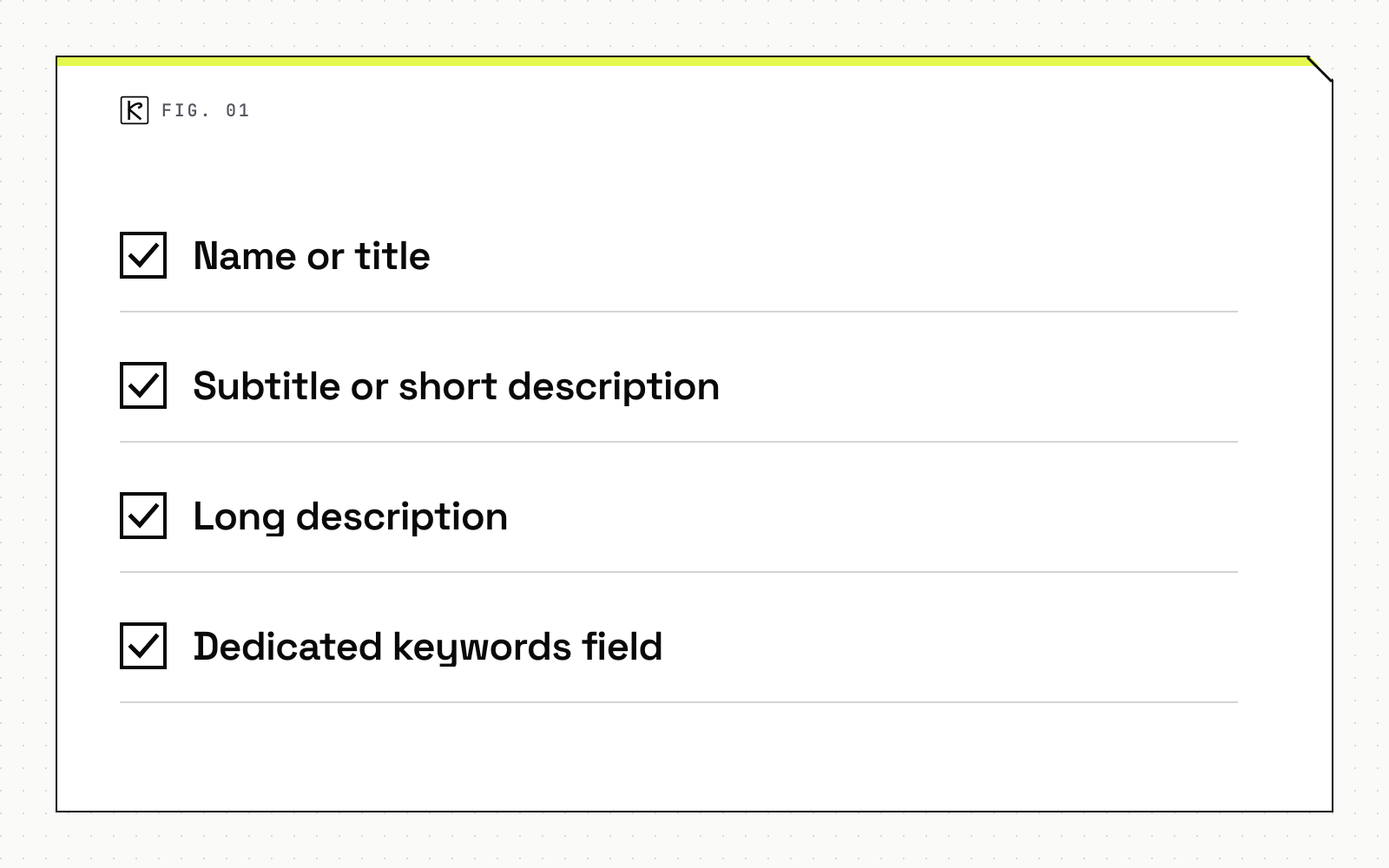
Google Play uses different fields and limits. Google's store listing best practices give these numbers:
- Name or title: 30 characters on both stores.
- Subtitle or short description: 30 characters for the App Store subtitle, 80 characters for the Google Play short description.
- Long description: no limit stated on Apple's product page, 4,000 characters on Google Play.
- Dedicated keywords field: 100 characters on the App Store, none on Google Play.
Google says the title should describe what the app does and avoid deal words such as "Free" or "No Ads". The full description should use everyday language rather than keyword lists, and it should not repeat the short description word for word. For graphics, Google asks you to show the in-app experience, keep taglines brief and avoid store rankings, awards and price or promotional claims. If a screenshot contains text, provide a separate version for each supported language.
6. Measure and iterate
Change one group of fields per release, then compare impressions and installs before the next change. If you change the name, subtitle, keywords and screenshots at once, you will not know which edit moved the numbers. The same discipline applies on the web, and our guide on how to measure results with GA4 and Search Console covers the web side of that loop.
Common mistakes
- Repeating words across fields. A word in the name already counts toward relevance. Repeating it in the keywords field wastes characters you could spend on a new term.
- Using promotional text for keywords. Apple says it does not affect search ranking.
- Naming competitors or trademarks. It risks rejection and gains nothing.
- Weak first screenshots. Only the first 1 to 3 may show in search results. Putting a settings screen there wastes your best slot.
- Ignoring localization. Apple's limits apply per localization, and you can add keywords for each additional market. Screenshots with text need a version per language on Google Play.
- Treating the listing as separate from the rest of the funnel. People often arrive from a website or an ad. A clean web-to-app handoff keeps that visitor from landing on a generic page.
We handle store metadata as part of the release checklist on the apps we ship, so field limits and screenshots are checked before submission, not after. If you are planning a launch, our iOS development work covers that checklist.
Frequently asked questions
How many characters does the App Store keywords field allow?
The field allows 100 characters in total, separated by commas with no spaces between terms. Spaces are allowed inside a phrase. Do not repeat words already in the name, subtitle or category.
Does promotional text affect App Store ranking?
No. Apple says promotional text does not affect search ranking. It holds up to 170 characters and can be updated without submitting a new version, so use it for sales and upcoming features.
How many screenshots show up in App Store search results?
The first one to three images show when there is no app preview, so lead with your strongest. A product page can hold up to 10 screenshots.
Are the Google Play limits the same as Apple's?
Not quite. Google Play allows a 30 character title, an 80 character short description and a 4,000 character full description, and it advises everyday language over keyword lists. It has no separate keywords field.